
The 9-Step Framework for Deploying Agentic AI in a Shipping and Clearing Firm
 Digital PratikGrowth Marketing Consultant
 A shipping and clearing firm deploys agentic AI in nine steps across three phases.
Before you build, you diagnose what is leaking, demurrage, detention, ground rent, and cleared jobs that never got invoiced, then shadow one live consignment from booking to delivery, write the procedure down, and baseline the numbers.
Then you build a command center, turn the firm procedures into searchable data, and add a document controller that works under strict safety rules.
Then you remove yourself.
Step nine is not training the team.
It is removal.
Here is the part nobody says to the owner of a shipping and clearing firm out loud. Somewhere between a handful of consignments and a full book of clients, you stopped being the clearing agent and became the operating system.
Every bill of lading, every free-days clock ticking down at the port, every "did we raise that invoice", every consignee chasing a status on their cargo waits on your attention, which means the whole firm clears exactly as fast as one person can read a document.
This is the framework we use to take that job off the owner and give it to a system, without the risk that comes with letting software near a customs filing and a client's cargo. It is nine steps in three phases.
Four before you build anything, three to build it, and two to do the thing the whole exercise is for, which is to remove yourself from the middle of every job file.
It is worth saying what this is not. It is not a new freight ERP, and it is not "let AI clear the shipments".
The judgement stays with your licensed people, the customs broker who signs the bill of entry, the operations head who knows which line to fight and which to pay. What changes is that the reading, the sorting, the chasing, the filing and the drafting stop landing on one desk, so the free-days clock never runs out because somebody was buried in paperwork the afternoon it mattered.
You quietly became the operating system
It happens slowly. In the early years you booked the cargo, cleared it, chased the documents and raised the invoices yourself because there was nobody else, and you were good at it, so the firm grew.
Then it kept growing and the routing never left your head, because it was faster to just do it than to write it down. Now you are the one who notices a container is two days from demurrage, who remembers a consignee still owes you their KYC before the delivery order can be released, who spots that a job cleared last week and the invoice was never raised.
None of that is written down anywhere. It lives in your attention, and in a clearing firm attention is the scarcest thing there is, because a document that waits does not just sit quietly, it accrues a charge by the day.
Three things follow, and every one of them costs the firm real money.
- The firm clears at reading speed. An owner spending two or three hours a day reading emails from lines and consignees, chasing missing documents and checking which container is where is normal. That is not margin-earning work. It is triage, done by the most expensive person in the building.
- Free-days get watched because somebody remembered. Which is fine until the one busy week nobody did. A container that slips into demurrage is a charge you either eat or explain to a client, and a client quietly wondering whether their cargo is in safe hands.
- Nothing survives your holiday. A firm where one person is the router does not pause when that person is away. Documents pile up unchased, clocks tick unwatched, cleared jobs go unbilled, and you find out when you get back and open the demurrage bill.
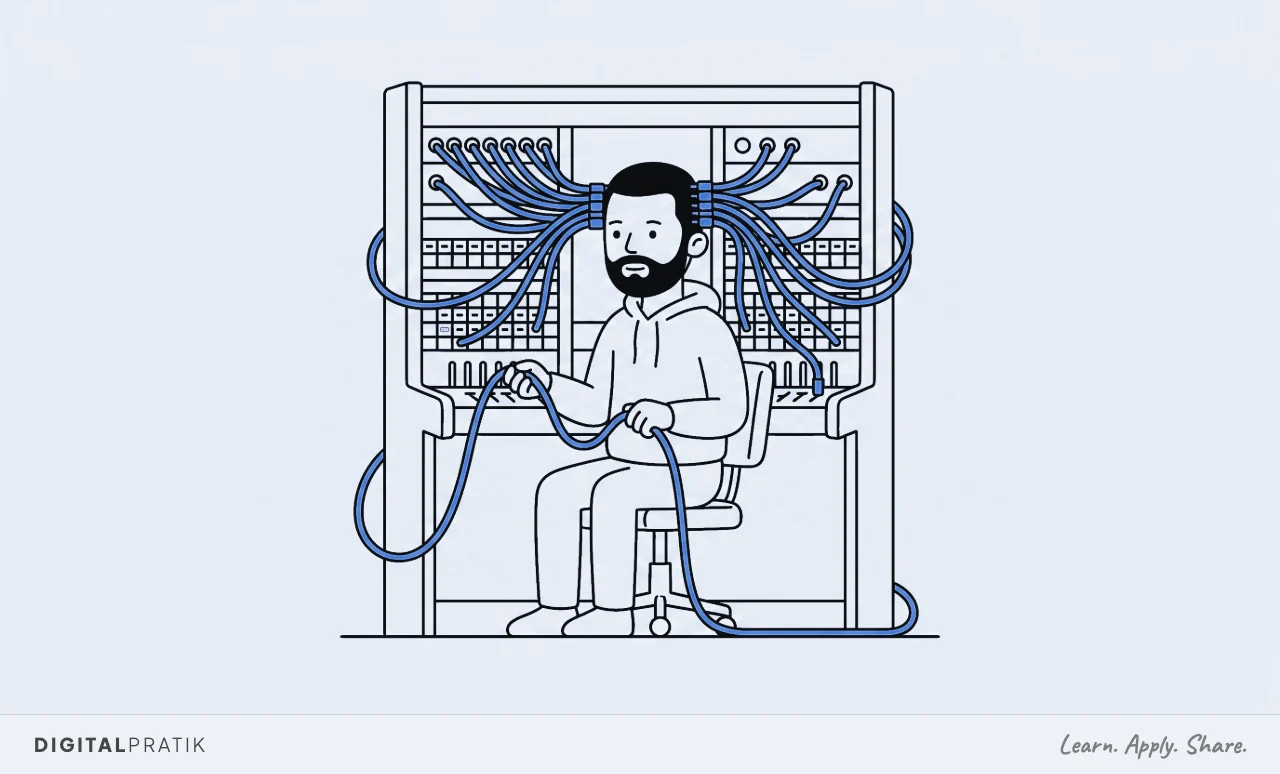
The instinct is to fix this by hiring another operations person. That works, and it also adds salary, supervision, and one more head that has to learn all the unwritten rules you were already the only keeper of, which line always releases the delivery order late, which consignee always sends an incomplete packing list.
You have not removed the bottleneck, you have given it a second head to depend on. The alternative is to write the routing down and let a system run the parts that never needed a licensed brain in the first place.
That is what the next nine steps do.
For a shipping and clearing firm, the client experience is the marketing
One belief before the framework, because it decides how you read the rest of it. In a freight and clearing business, the client experience is the marketing.
Not the website, not the logo. The container that cleared before the free-days ran out, the status answered the same hour a consignee asked, the heads-up that a document was missing before it turned into a charge.
That is what gets a forwarder referred to the next importer, and it is produced almost entirely by the nine jobs we are about to automate.
This is why it belongs on a growth marketing site rather than in an IT catalogue. A container that sat in demurrage because a document arrived late is not an admin slip, it is a client who now trusts a competitor with the next shipment.
A job that cleared and was never invoiced is not a finance oversight, it is margin you earned and then gave away. When the operating system is one tired owner, the client experience frays in exactly the places an importer notices and a rival forwarder asks about on the next quote.
Which brings up the trap most growing firms fall into. They try to grow by taking on more consignees and more volume, into a firm whose delivery still runs through the owner and one senior clerk.
That does not produce profit. It produces missed free-days, later nights and slipping accuracy on the customs filings, which is the one thing that cannot slip.
This is the capacity problem, and it is one of exactly three things almost every stuck firm is stuck on. The other two are getting the right clients in and converting the quotes, and I have written the full diagnostic in the 3A Machine.
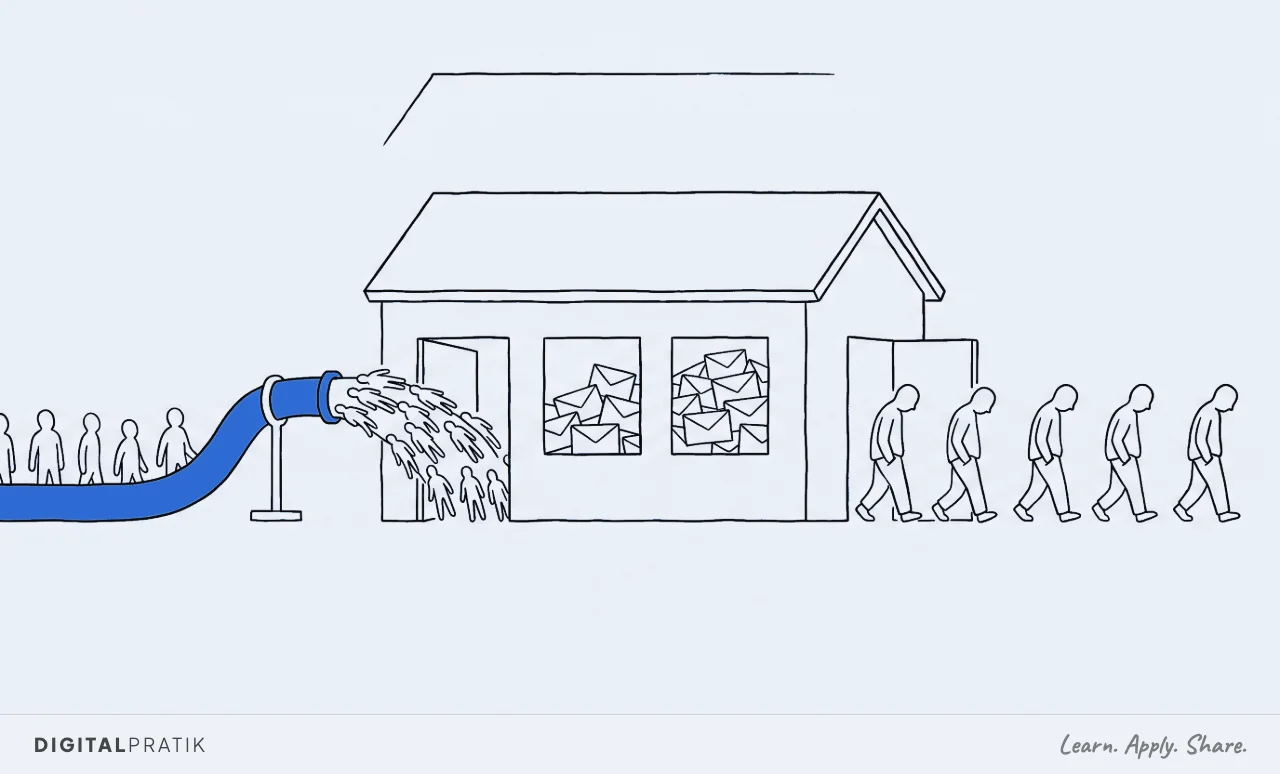
So the goal of deploying agentic AI in a clearing firm is not "use AI to clear cargo". It is to build the capacity that lets you take on more volume without the accuracy falling over.
Get the nine steps running and the same team and the same customs broker hold two or three times the consignment load without a single container slipping into avoidable demurrage. Fix capacity first, then go and win the importers.
The nine steps, in three phases
Here is the whole map on one page. Your firm already runs all nine of these jobs today, whether or not anyone has ever named them.
The framework does not add work. It names the jobs, then decides one at a time whether a person does each one or a system does it.
| Step | Phase | The job it does |
|---|---|---|
| 1. Diagnose | Before build | Quantify what is bleeding: demurrage, detention, ground rent, cleared-but-unbilled jobs, hours lost chasing documents |
| 2. Shadow | Before build | Follow one live consignment from booking to delivery and excavate the unwritten rules |
| 3. SOP | Before build | Turn the recording into a written procedure a machine can actually read |
| 4. Baseline | Before build | Agree the current numbers, in writing, before you change anything |
| 5. Command center | Build | One screen: the job-file radar, the free-days clocks, the document wall, the cleared-but-unbilled money |
| 6. Procedure as data | Build | The firm's mind: every rule, tariff line, checklist and past answer, searchable |
| 7. The document controller | Build | Reading and filing documents on time, working the procedure under four safety rules |
| 8. Handover | Removal | The team approves instead of performing: briefs, drafts, activity, free-days alerts |
| 9. Removal | Removal | The owner steps out of the routing. The weekly proof shows the system earning its keep |
Notice the shape. Four steps happen before anybody builds anything, and skipping them is the single most common reason a firm's "let us try some AI" project quietly dies.
People buy the clever part first, point it at nothing in particular, and end up with a fast tool that does not know a delivery order from a bill of entry or how the firm actually clears a job. The order below is designed to stop that.
Step 1. Diagnose: find what is actually bleeding
You cannot fix what you have not counted, and most firms have never counted this. So the first step is a leak audit, and its only job is to put a number on the money already walking out of the firm.
Not a survey of how everyone feels. A count of losses.
In a shipping and clearing firm the leaks are always in the same few places, and they hide because they arrive as somebody else's invoice. Demurrage the line charged because the container sat at the terminal past its free days.
Detention the line charged because an empty container went back late. Ground rent the yard charged for storage nobody was watching.
These are three separate clocks running on the same cargo, and a firm that eats even a fraction of them out of goodwill or oversight is bleeding real margin every single month.
Then the audit finds the money the firm earned and simply never billed. Work that was delivered, jobs that cleared customs, cargo that reached the consignee, and the invoice was never raised, because raising it was a small annoying task nobody owned while the next fire was burning.
In a clearing firm this is almost always larger than the owner guesses, because reimbursables, line charges paid on the client's behalf, and "we will sort the paperwork later" jobs quietly stack up. And the audit measures the tax you pay in hours, the time the team burns every week chasing a missing certificate of origin, re-keying a commercial invoice into the customs system, and rebuilding a status update by hand for a consignee who just wants to know where their container is.
And the quietest leak of all, the one nobody ever puts on an invoice: consignees who drifted to another forwarder not because a shipment went wrong, but because they could never see what was happening to their cargo and a slicker firm made them feel looked after. In a business where the product is trust with somebody else's goods, silence is the churn you never see coming until the next booking simply does not arrive.
Add it up honestly and the total is almost always bigger than expected, and concentrated in two or three places rather than spread evenly. That concentration is the gift.
It tells you exactly where to point the build first, and it becomes the before number you use, at the very end, to prove the system paid for itself.
Step 2. Shadow: follow one live consignment from booking to delivery
Now you watch. Pick one live consignment, an import container coming in for customs clearance, and follow it end to end, from the booking and the bill of lading through the customs filing and the duty payment to the delivery order and the final invoice, writing down every single thing that happens to it and every decision anybody makes.
Not the tidy version in the procedures manual nobody opens. The real one.
This is where you discover the firm does not run on the written process. It runs on a hundred unwritten rules that live in your seniors' heads and, more than anywhere else, in the operations WhatsApp group.
Which documents have to be in hand before the customs entry can even be filed, the invoice, the packing list, the certificate of origin, the specific permit this cargo needs. How this particular consignee always sends their paperwork, and what is always missing on the first try.
The HS code you always double check for a certain kind of goods because the classification is a grey area. The line whose delivery order you always chase a day early because they are slow.
None of it is written down, all of it is load-bearing.
The excavation is the real work of this step. You scroll back through the group chat and pull out the rules the firm actually operates on, the ones that were never a decision, just a habit that turned out to be right, the correction somebody made once after a container got stuck and that became the way it is done now.
That messy, lived-in reality is what you are about to encode. Skip it and you will automate the fantasy version of the firm, ship it, and watch the clerks quietly go back to the WhatsApp group because the system does not know what they know.
And be honest about the fragility this surfaces: in most firms the real operating manual is one long-serving operations person's memory, and it walks out of the door the day they leave for a competitor.
Step 3. SOP: write the unwritten procedure down
Everything you excavated now becomes one written procedure. Plain language, step by step, in the order it really happens, with every rule and every exception stated.
This is the least glamorous step in the framework and it is the one that makes an agentic system possible, because a document controller can only work a procedure that has actually been written.
For an import clearance it looks like a hard checklist: these specific documents, verified in this order, the classification confirmed by a person at this point, the duty computed and paid, and the job does not advance to filing the customs entry until every item is present and checked. Written as a procedure, the messy reality becomes a gate a machine can enforce perfectly, every time, without a tired clerk waving an incomplete file through on a busy afternoon because the free-days were running out.
The same goes for onboarding a new consignee, releasing a delivery order, or handling an export booking. Each becomes a written sequence rather than a thing your best people simply "know".
Write it for a smart new hire on their first day, not for a machine. If a person could follow it without asking a single question, a system can run it.
If it still needs somebody to "just know" which document unlocks the next stage, the procedure is not finished, and you are not ready to build. This is also the first time in the firm's life that the clearance process exists on paper at all, which is worth the week on its own, because right now it exists only in the gap between one senior clerk's memory and a scrolling chat nobody can search.
Step 4. Baseline: agree the numbers before you touch anything
The last step before the build, and it is thirty minutes that saves you a year of arguments. Write down the current numbers and get the owner to agree them.
How long it takes to find and file a document to the right job file today. What share of containers clear comfortably before the free-days run out.
How much demurrage and detention the firm ate last quarter. How much cleared work is sitting delivered but unbilled right now.
How fast the first reply to a consignee's status question goes out. Real numbers, honestly rounded, on the record.
You do this for one reason. In three months, when the system is running, memory rewrites history.
People forget how bad it was, decide it was "always basically fine", and start to wonder what they are paying for. The baseline is the receipt.
It is what lets the weekly proof report at the end say "finding a document went from a twenty minute hunt to a two second answer" and have that land as a fact both the owner and the operations head agreed up front, rather than a vendor's claim.
It is also the moment to decide what "better" means for this firm, so the build aims at a number and not a vibe. A firm bleeding on demurrage because nobody watches the free-days clocks is not chasing the same win as one drowning in the hours it spends re-keying commercial invoices into the customs portal.
Name the number now. It is what everything you build next is pointed at.
Step 5. The command center: the whole firm on one screen
Now you build, and the first thing you build is the place the owner looks. One screen that shows the whole firm at a glance, in the order that costs money, so nobody reconstructs the state of the business from the shipping line portals, the customs system, an email inbox and a group chat every morning.
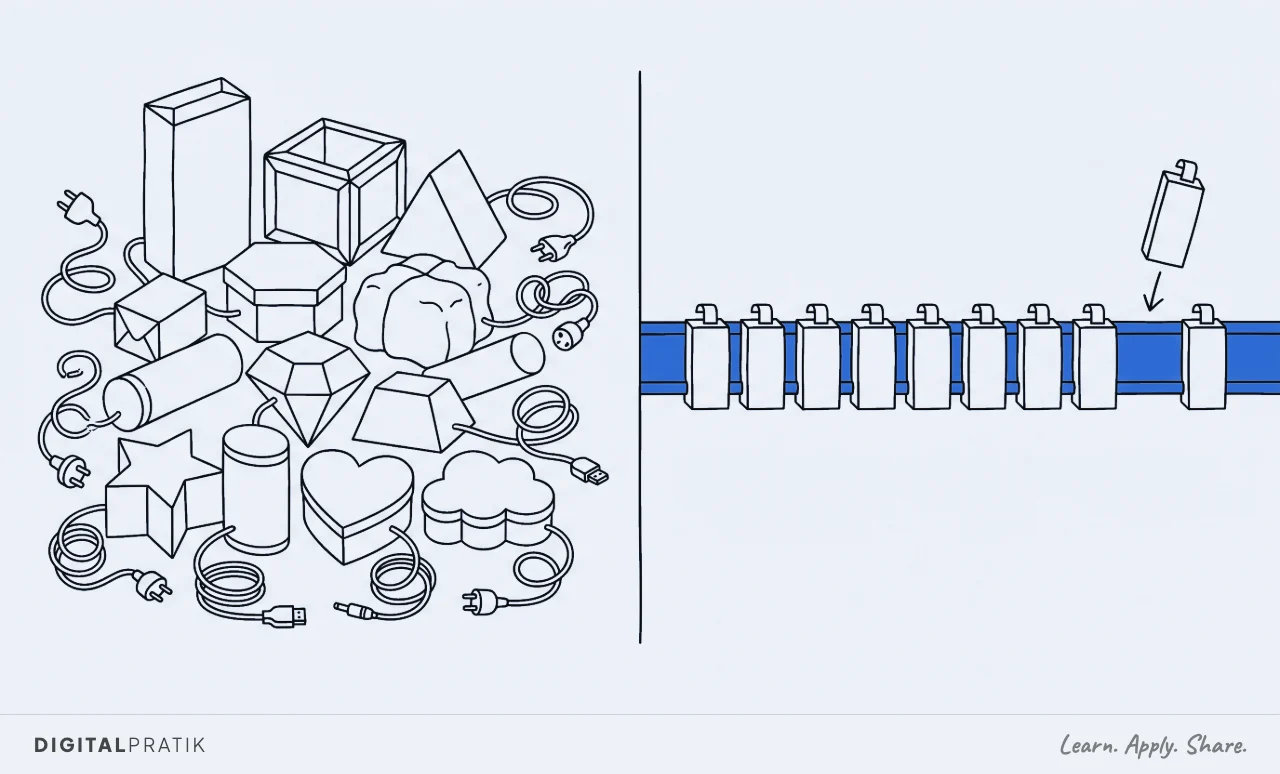
Build it on one spine, not twelve tools. This matters more than it sounds.
Every job in the audit is tempting to solve with its own separate app, a tracker here, a document folder there, a spreadsheet for the invoicing, and a year later you have a dozen subscriptions that do not talk to each other and an owner who is now the integration layer between them. Build the whole thing on one foundation, one place the job files and the context live, and the next piece is nearly free because everything it needs already exists.
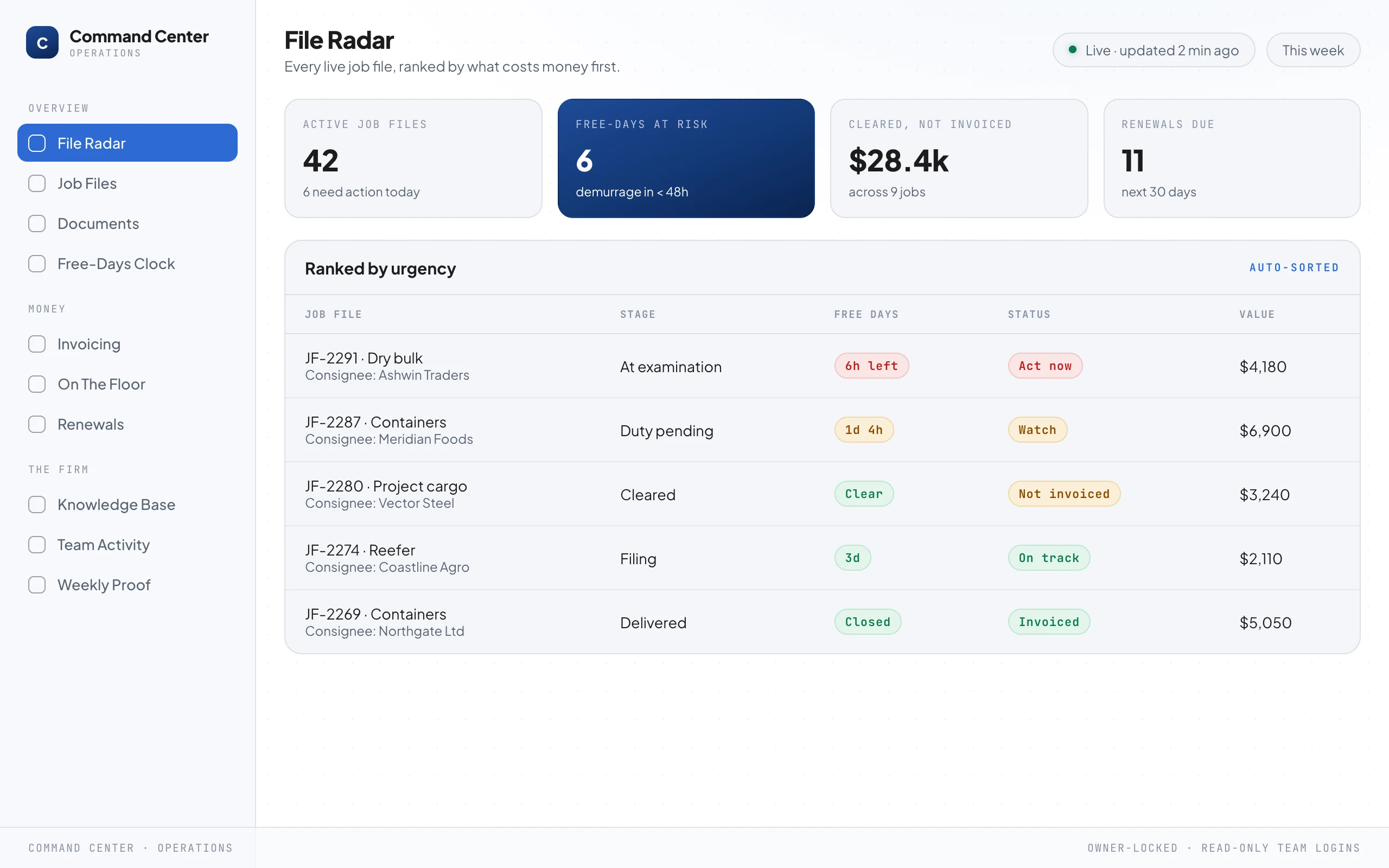
The centre of the screen is a job-file radar: every live consignment, ranked not by date but by which charge lands first. The container 48 hours from demurrage sits at the top, in red, whether or not anybody asked.
Around it, the numbers an owner actually needs, the job files that need action today, how much cleared work is delivered but not yet invoiced, how many free-days windows close this week, which entries are waiting on a document.
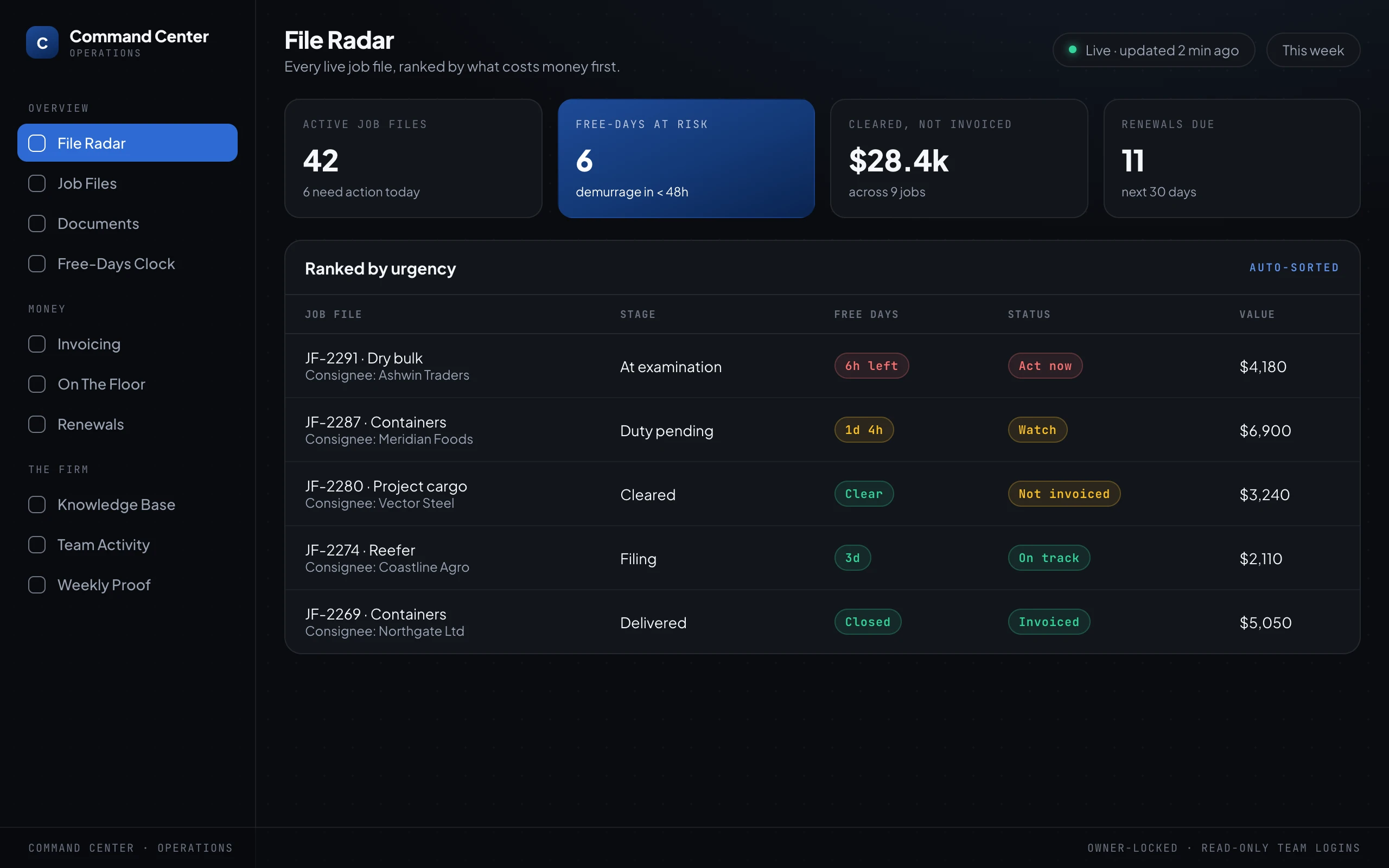
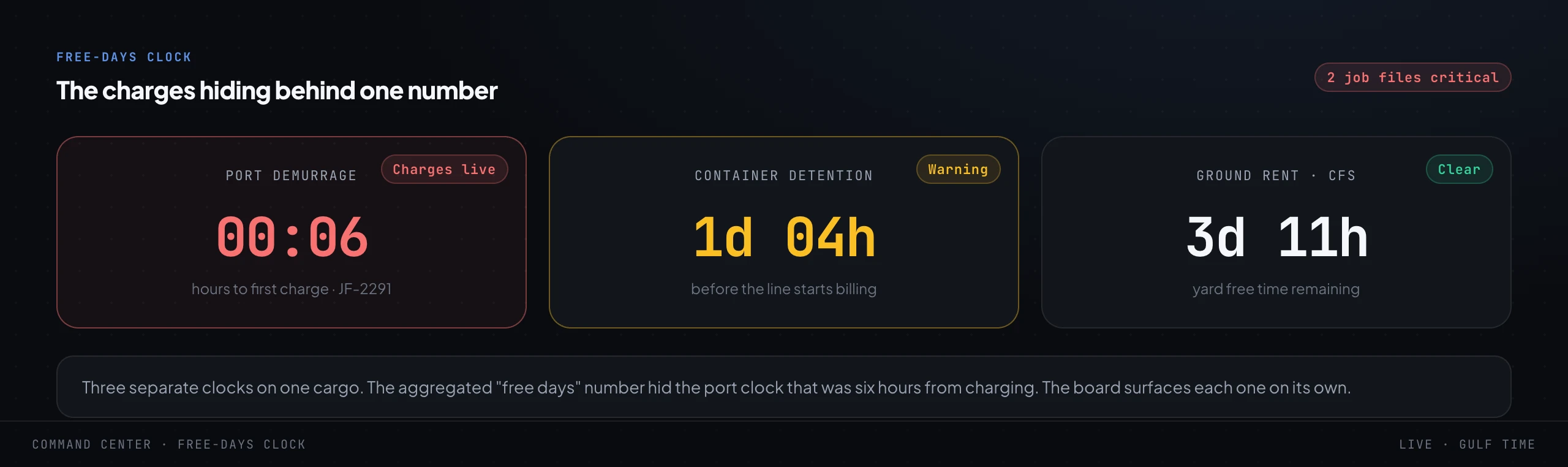
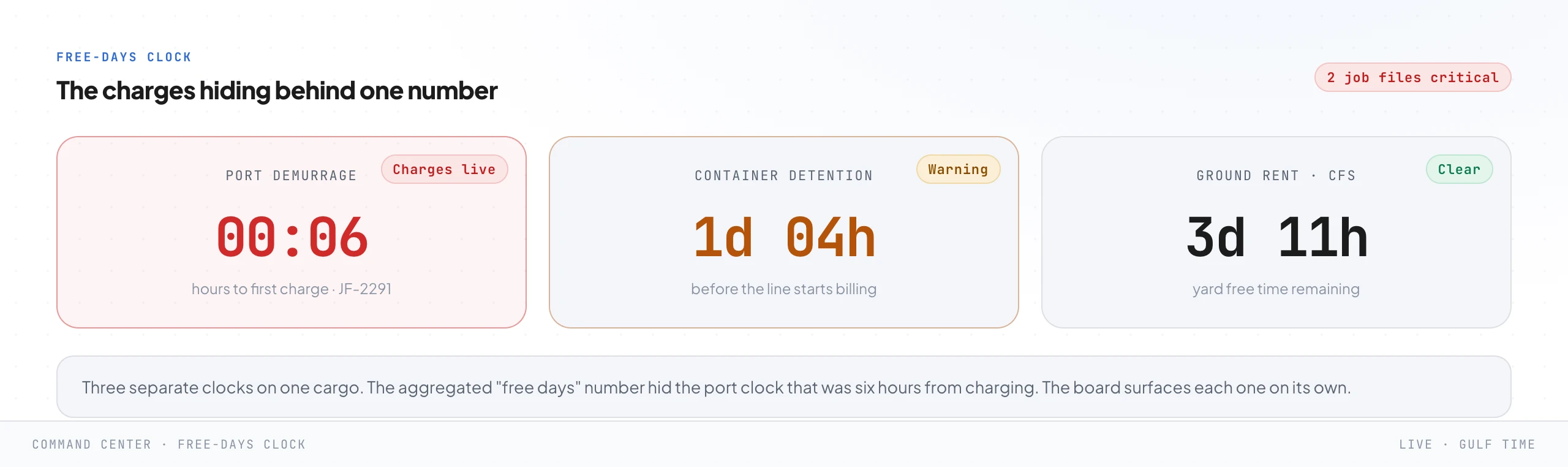
Then the free-days clocks. A firm does not have one clock on a container, it has three running at once, and the single "free days" number every line portal shows you is a lie of omission because it hides them.
Port demurrage on the box sitting at the terminal, container detention on the equipment you have not returned, and yard ground rent on cargo stored while it waits. Aggregate them into one comforting figure and the port clock six hours from charging disappears behind a calm-looking average.
The command center pulls them apart and shows each on its own, so the one about to cost you is the one you see.
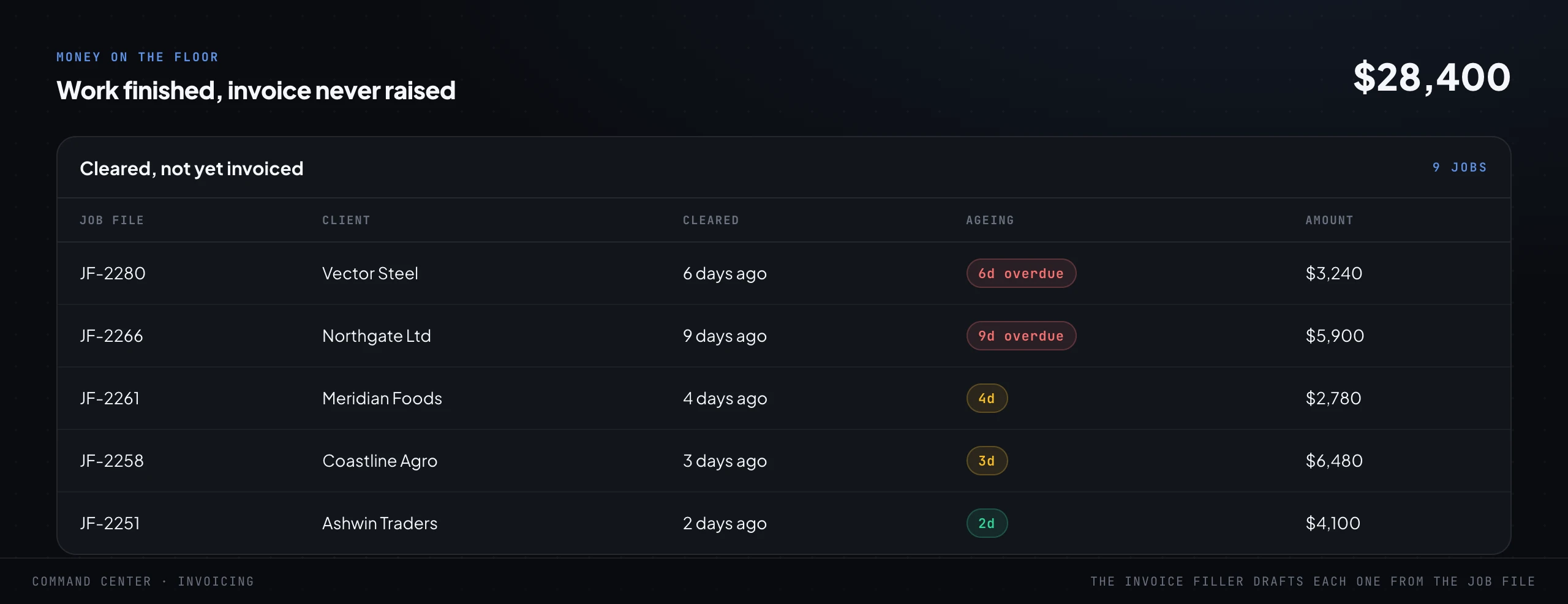
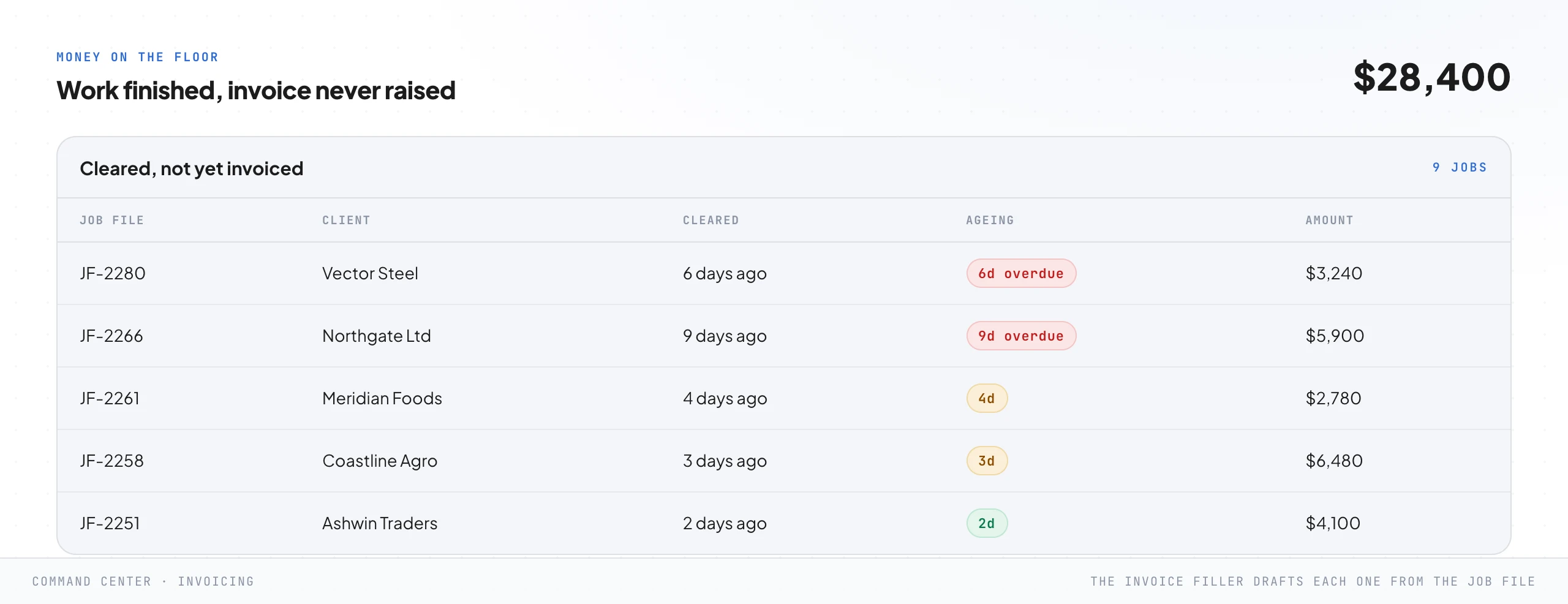
Beside the clocks, the money on the floor: every job that cleared, delivered, done, and never invoiced. In most firms this is a genuinely uncomfortable number the first time it appears on a screen, because the work was already paid for in effort and simply never got billed.
It was not strategy. It was that raising the invoice, reconciling the line charges paid on the client's behalf, and closing the job file was a small annoying job nobody owned once the container was gone, which is a fair description of most of what leaks in a clearing firm.
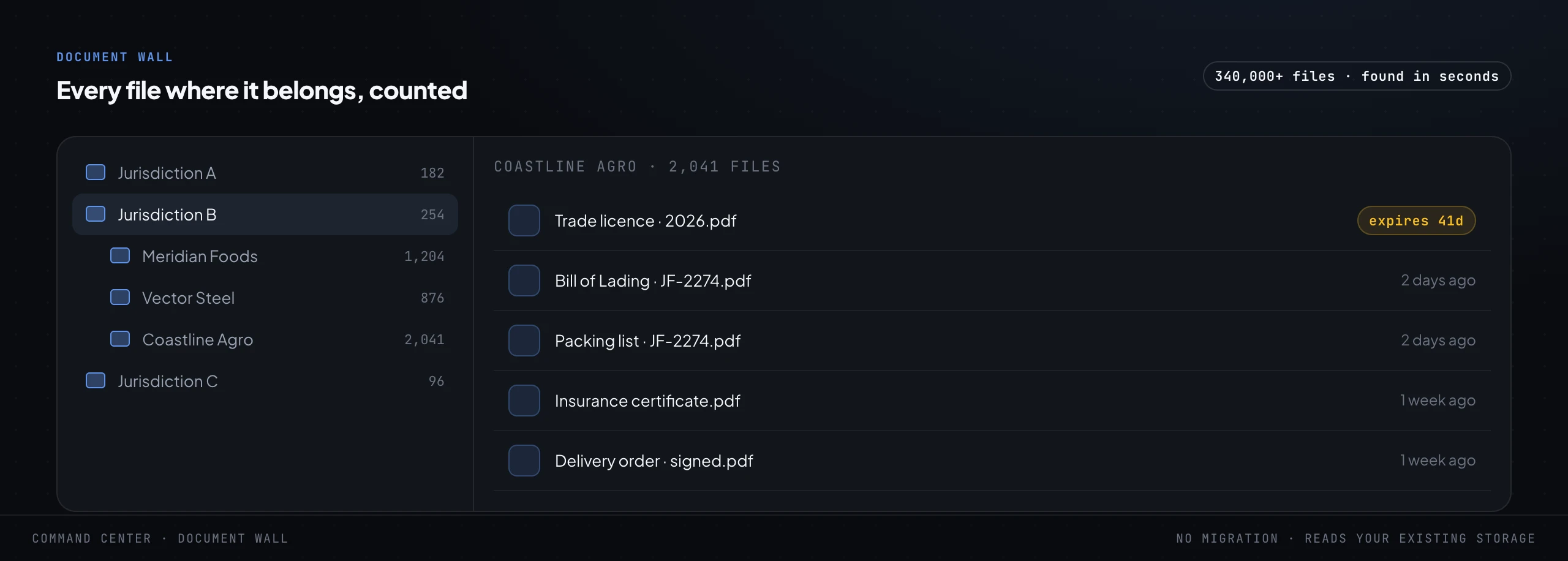
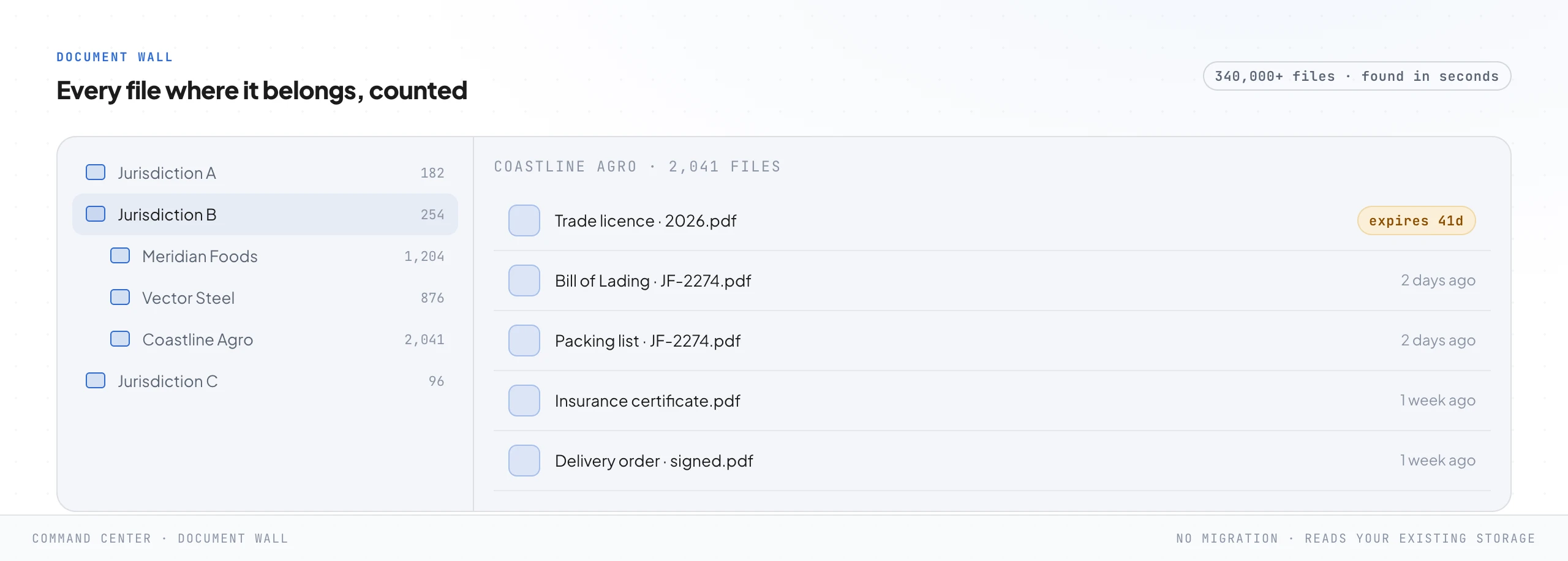
And the document wall. An established clearing firm is sitting on an enormous pile of paperwork, hundreds of thousands of files across folders nobody has fully mapped in years, every bill of lading, commercial invoice, packing list, bill of entry and delivery order for every consignment it has ever handled.
The command center reads that existing storage where it already lives, with no migration and no "please move everything into our new system", and makes it navigable and countable, so any document is found in seconds instead of a frightened hunt through a shared drive while a consignee waits on the phone and a free-days clock ticks.
One design choice worth naming, because clients always ask. The command center is owner-locked, and the team gets read-only logins scoped to what they need.
The owner sees the margins and the whole board. A documentation clerk sees the job files assigned to them.
Nobody can quietly change a number they should only be reading, and the owner never loses the single honest view of the firm the whole build exists to give them.
Three things run underneath all of it, quietly. The whole system is backed up on a schedule, so a bad day is never a lost day.
It is locked down so the data only ever answers to the people you named. And a heartbeat watches the system itself: if a job that should run every morning goes quiet, you hear about it before a client does.
None of this is glamorous and all of it is why you can actually trust the thing to run without you standing over it.
Reading the map and walking it are different jobs. If you run a shipping and clearing firm doing AED 10 million a year or more and you are still the operating system, this is what a working session looks like.
Step 6. The procedure as data: the firm's mind
The procedure you wrote in step 3 is a document, and a document just sits there. In step 6 you turn it into data the system can reason over: every rule, every free-days policy, every checklist, every tariff line and customs circular, and every good answer the firm has ever given a consignee, connected by meaning rather than filed in folders.
This is the firm's mind, and it is what makes the document controller in the next step sound like your firm instead of a generic model.
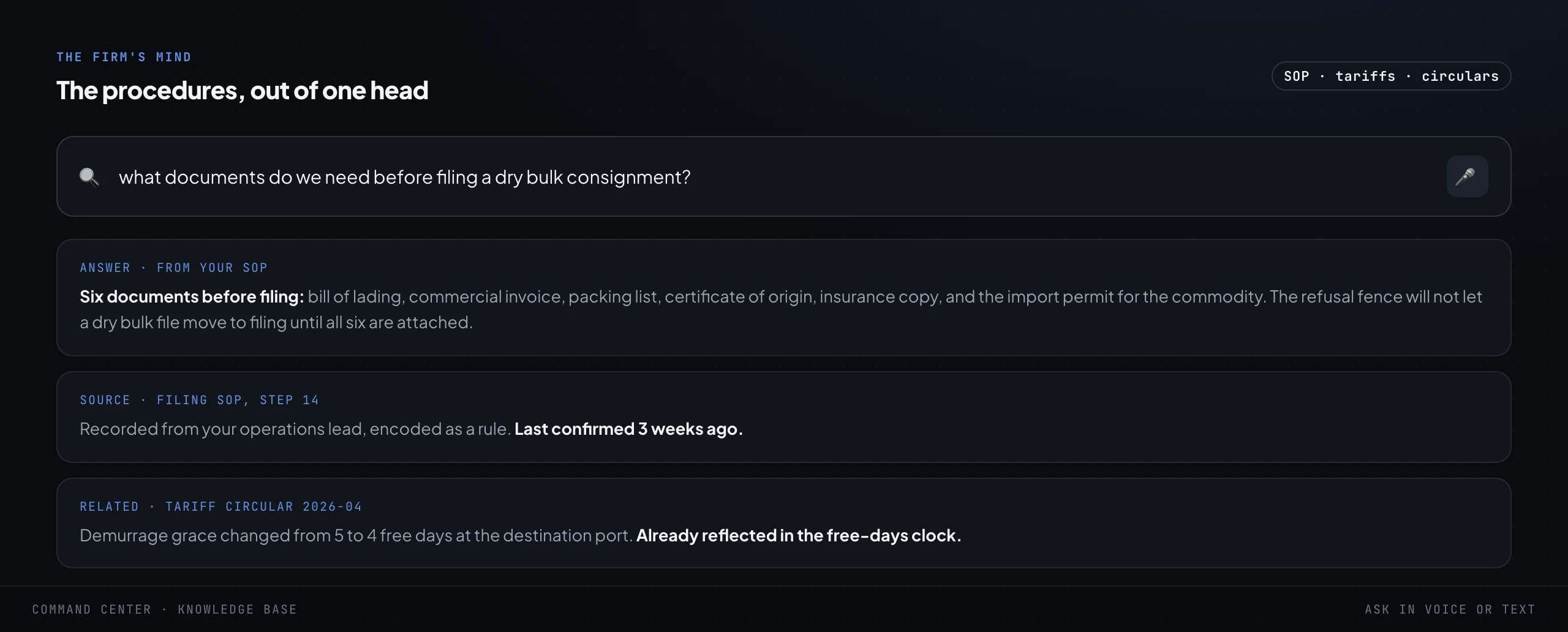
In practice it means anybody can ask a plain question and get the firm's own answer, not the internet's. What documents do we need before we can file the customs entry for a certain kind of import.
What changed in the latest tariff circular and does it move the duty on this consignment. What is our policy on releasing a delivery order before the KYC is complete.
The answer comes back grounded in the firm's own written procedure, with the source it came from, so it is checkable rather than a confident guess, which matters when a wrong classification is a fine and a held container.
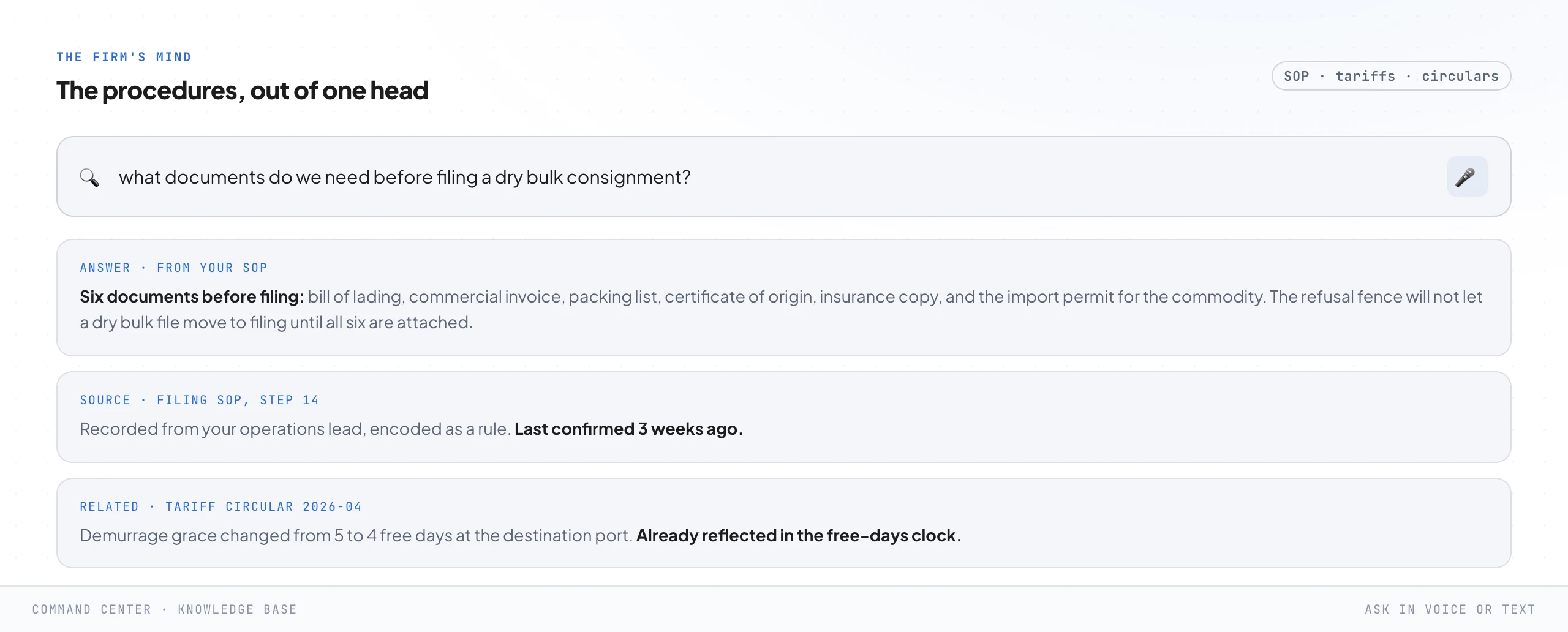
The reason this matters more than it looks is drift. A general model, asked the same classification question twice, will happily give two confident and slightly different answers, and in customs work that is not a quirk, it is a liability with a penalty attached.
Grounding every answer in the firm's own written procedure kills it. The system is reading your rules and quoting them with the source, and when a tariff or a line policy changes you change it in one place and every answer changes with it.
It is also where the clearance checklist becomes enforceable rather than advisory, because the document controller in the next step reads its gates from exactly here.
Step 7. The document controller: reading and filing that shows up on time
Now the part people picture when they hear "AI". An employee, not a chatbot, and the distinction is the whole thing.
A chatbot waits to be asked. An employee wakes on a timer, reads the live firm, does its round, files the documents, watches the free-days clocks, and flags what needs a human, whether or not anybody prompted it.
I have written the longer version in AI employees, not chatbots.
In a clearing firm it is a small crew of them, each with one job, all reading from the firm's mind. A document controller that reads a photographed or emailed bill of lading, understands what it is, renames it to the firm's format and files it in the right job file.
A refusal fence, call it the free-days clock, that will not let a job move to customs filing until every required document is present and verified, and that watches every demurrage and detention window and raises the alarm before the charge lands. An invoice filler that drafts the bill for a cleared job straight from the file, reimbursables and all.
A talking agent that answers a consignee's status question, in their own language, without pulling a clerk off their work.
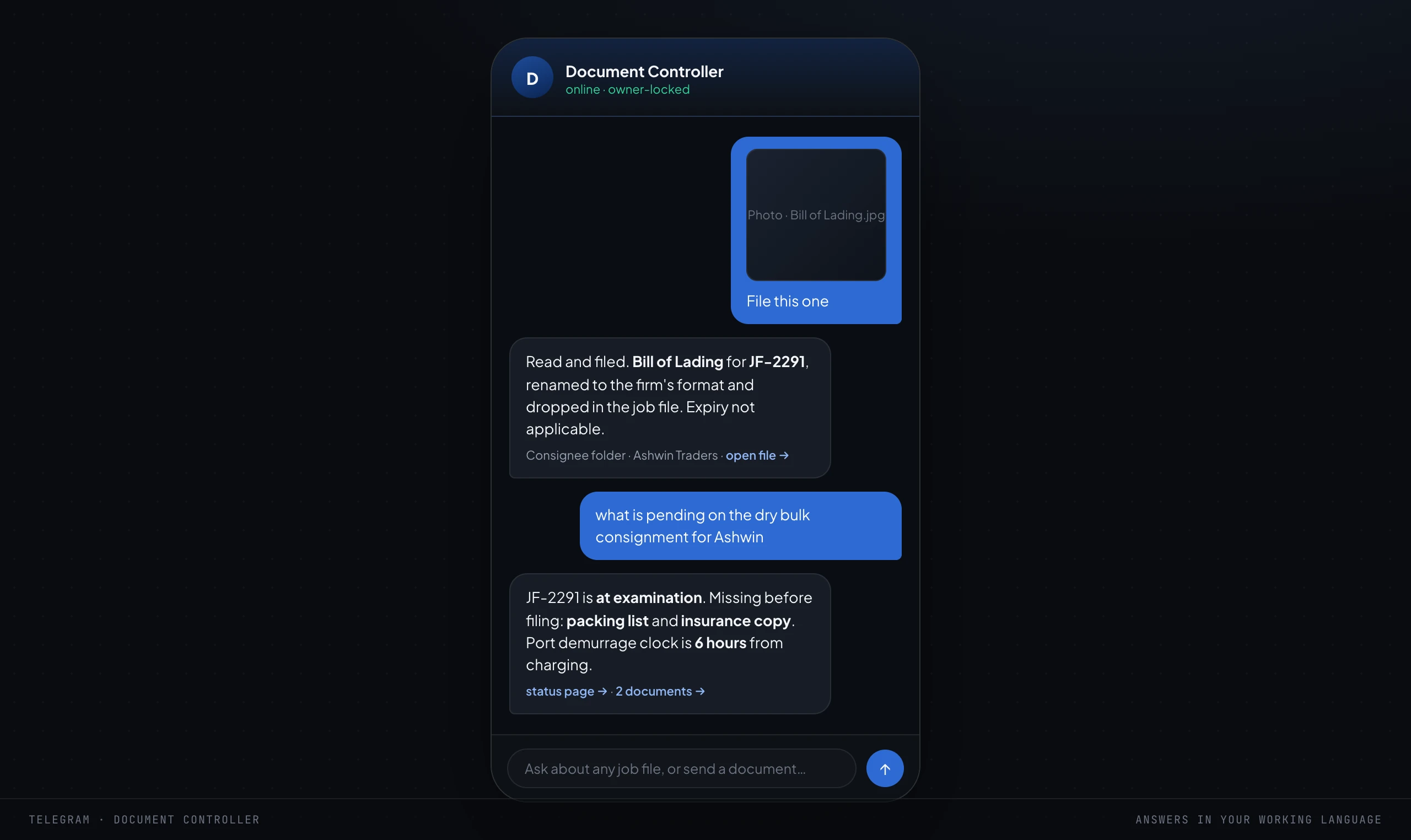
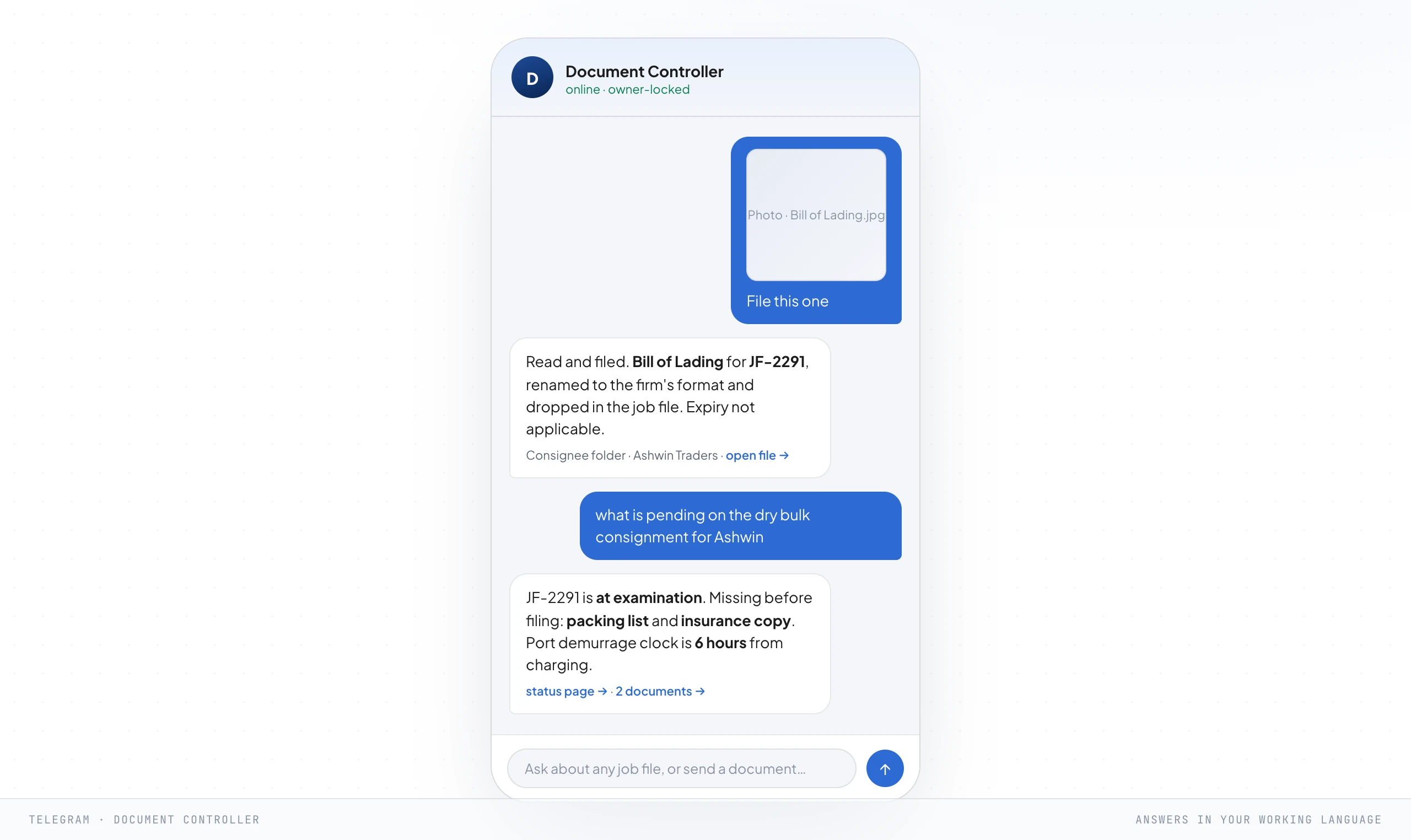
There is a quieter agent in this crew that owners never ask for and always end up valuing most: a critic. Before any piece of work reaches a human, a second agent grades it against the procedure.
Is the document filed to the right consignee, does the classification match, did it do what was asked. Anything that fails goes back to be redone before you ever see it.
This is the line between AI you can run and AI you can trust in a firm where a misfiled document can hold a container and a wrong entry is a fine.
An employee that can act is useful and it is also dangerous, so this step ships with four safety rules and they are not optional. They are the reason you can hand a system this much and sleep.
- It refuses out-of-procedure work. If a document or a request does not match the written procedure, the document controller declines and escalates rather than improvising a classification or a release. The refusal fence is a feature, not a failure.
- Every file operation stays inside set boundaries, and deletes go to a recycle bin. It cannot reach outside the job files and folders it was given, and nothing it removes is ever gone. A misfiled bill of lading is always recoverable.
- Every client-facing message waits for a human yes. It drafts the status update, the free-days reminder, the invoice, the delivery-order notice, then stops. A person reads it and presses send. Anything that touches a consignee, their cargo or the firm's name gets a human on it.
- Ambiguous facts and dates come back empty, never guessed. If it is not sure which HS code a line item takes, or exactly when a free-days window closes, it says so and asks. A blank is safe. A confident wrong classification or a guessed demurrage date is how a system does real damage in this business.
Two things make that crew safe to hand real work to. First, each agent is given a narrow, controlled connection to the business's own tools, its files, its records, its calendar, and nothing beyond them.
It works inside your systems, so it answers from your firm rather than the open internet, and it cannot wander off to touch anything you did not hand it. Second, every action it takes comes back as a receipt: a short note in the chat that says what it just did, so nobody is ever guessing what the system touched.
All of it runs on Claude, the model we build everything on.
Step 8. Hand it to the team
The build is running. Now it stops being the owner's private tool and becomes how the team works, and the shift is subtle but total: people move from performing the work to approving it.
The system does the first pass of everything, reads the document, files it, drafts the status, flags the clock, and a person says yes, corrects a classification, or sends it back. Same team, far more consignments handled, and your licensed people are left doing the judgement that was always the actual job.
That handover is made of a few specific things. A daily status drafter that writes the update a consignee is owed on their cargo, ready for a person to approve.
An activity wall so the owner can see what the system and the team did without asking. A change watcher that notices when a job file stalls at the same stage for days, when a delivery order still has not been released, or when a free-days window moves.
And the piece everyone feels first: the morning brief.
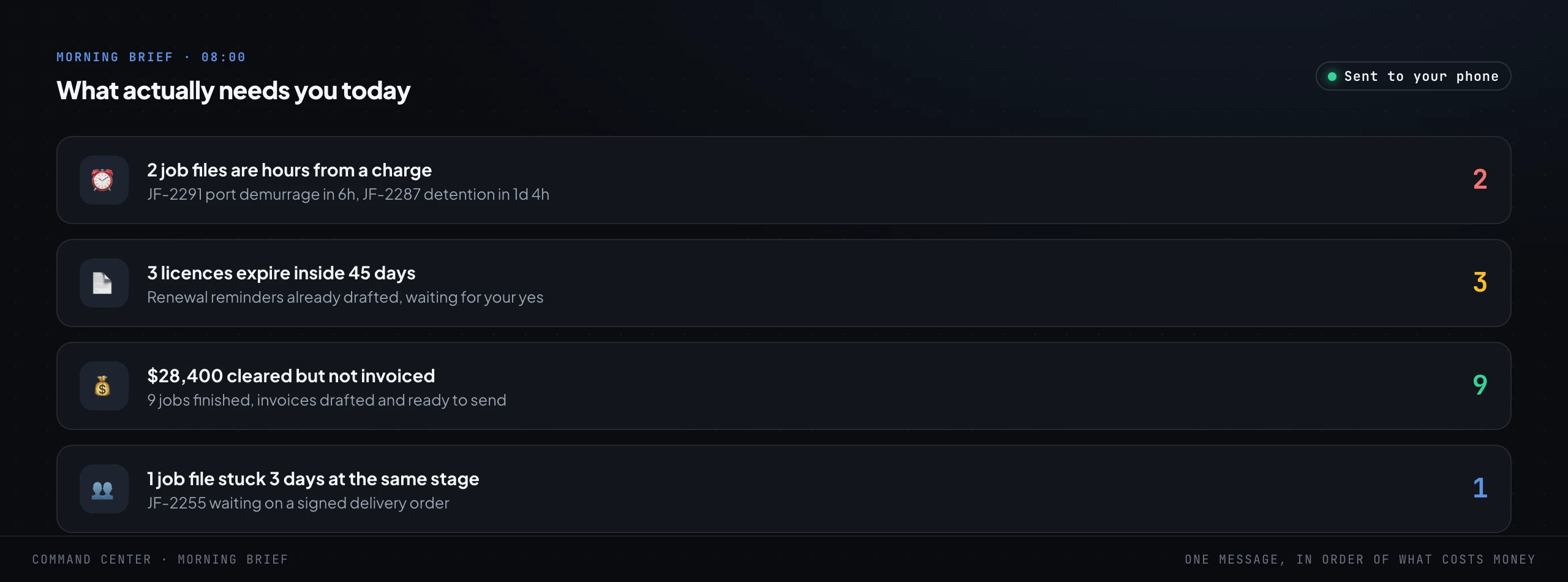
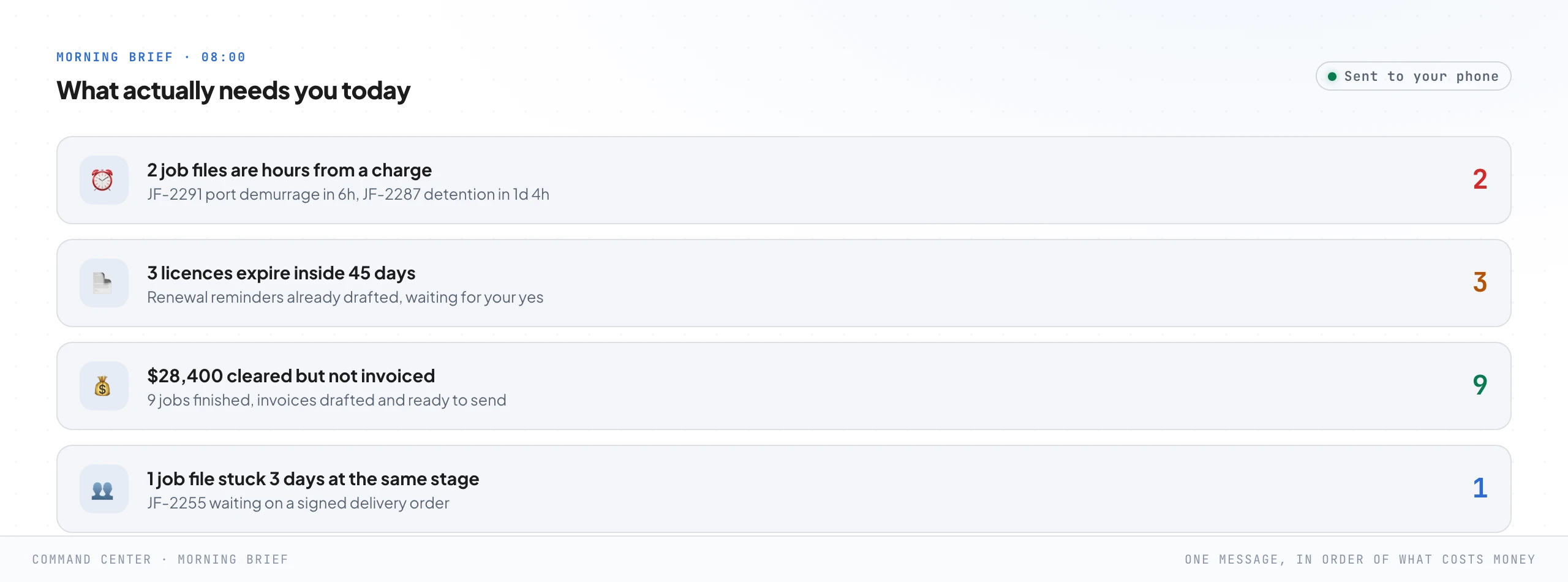
At eight in the morning, before anyone opens anything, one message lands in order of what costs money: here are the two containers hours from demurrage, here are the permits and registrations expiring this month with the reminders already drafted, here is the cleared work waiting to be invoiced, here is the consignment stuck because a certificate of origin never arrived. The team walks in already knowing the day instead of spending the first hour discovering it across four portals and a group chat.
A word on the human side, because it decides whether any of this sticks. The word removal frightens a team, and if they think it means removing them, they will quietly starve the system of the knowledge it needs.
It does not mean that. It means removing the document chasing, the re-keying into the customs portal, the frightened hunts through the shared drive, and leaving people with the customs judgement and the client relationships that were always the margin-earning work.
Say it out loud, early and often. A team that believes the system is on their side will feed it.
A team that fears it will fight it, and win.
Step 9. Removal is the whole point
Here is the step everyone gets wrong, and it is the reason the framework exists. Step 9 is not training.
It is removal. The goal was never to teach the owner to use a clever new tool.
It was to take the operating-system job out of the owner's head, so the firm stops clearing at the speed of one person's attention.
You know you have reached it by a specific test: the owner can take a genuine week off and nothing leaks. Documents still get chased and filed.
Free-days clocks still get watched, and the reminders still go out before a charge lands. Customs entries still get filed on complete files.
Invoices still get raised on cleared jobs. Consignees still get answered in their own language, the same day.
Nothing waits for one person to come back and look, because that person is no longer the thing the routing runs through. They approve the exceptions from their phone, or they do not, and it holds either way.
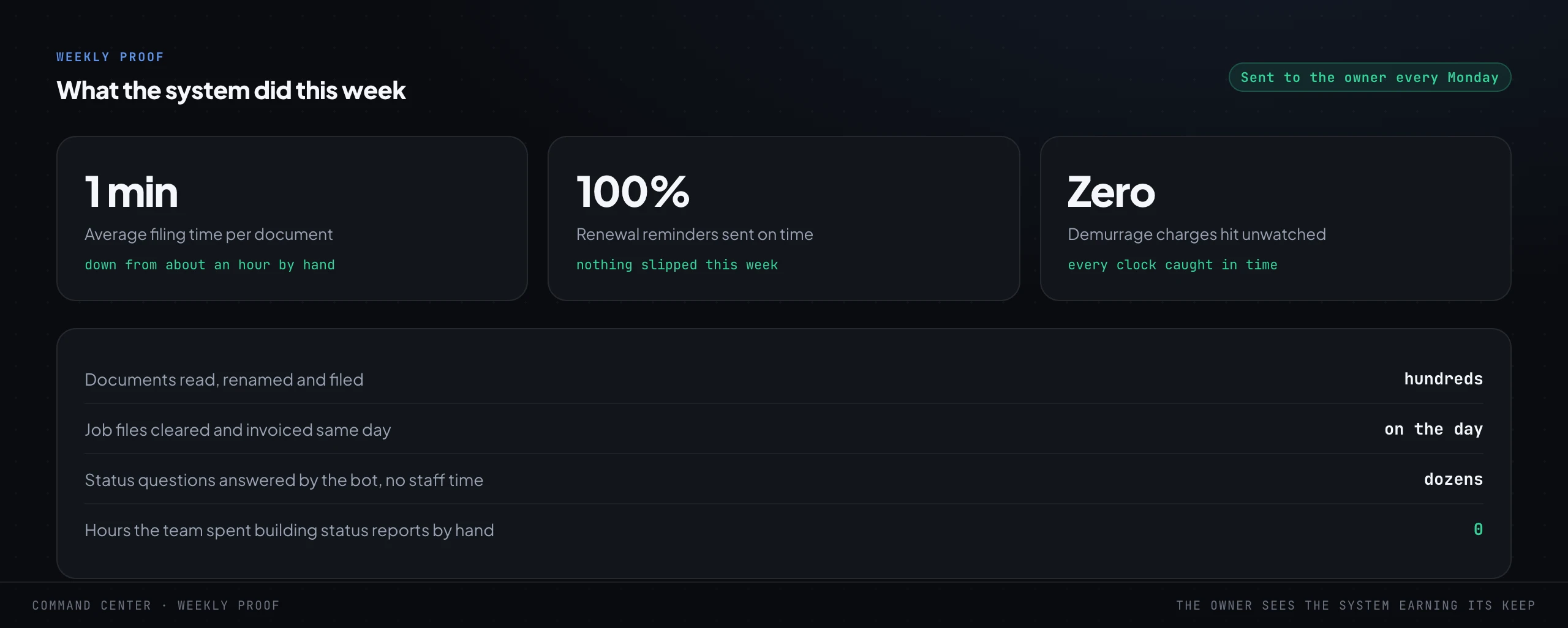
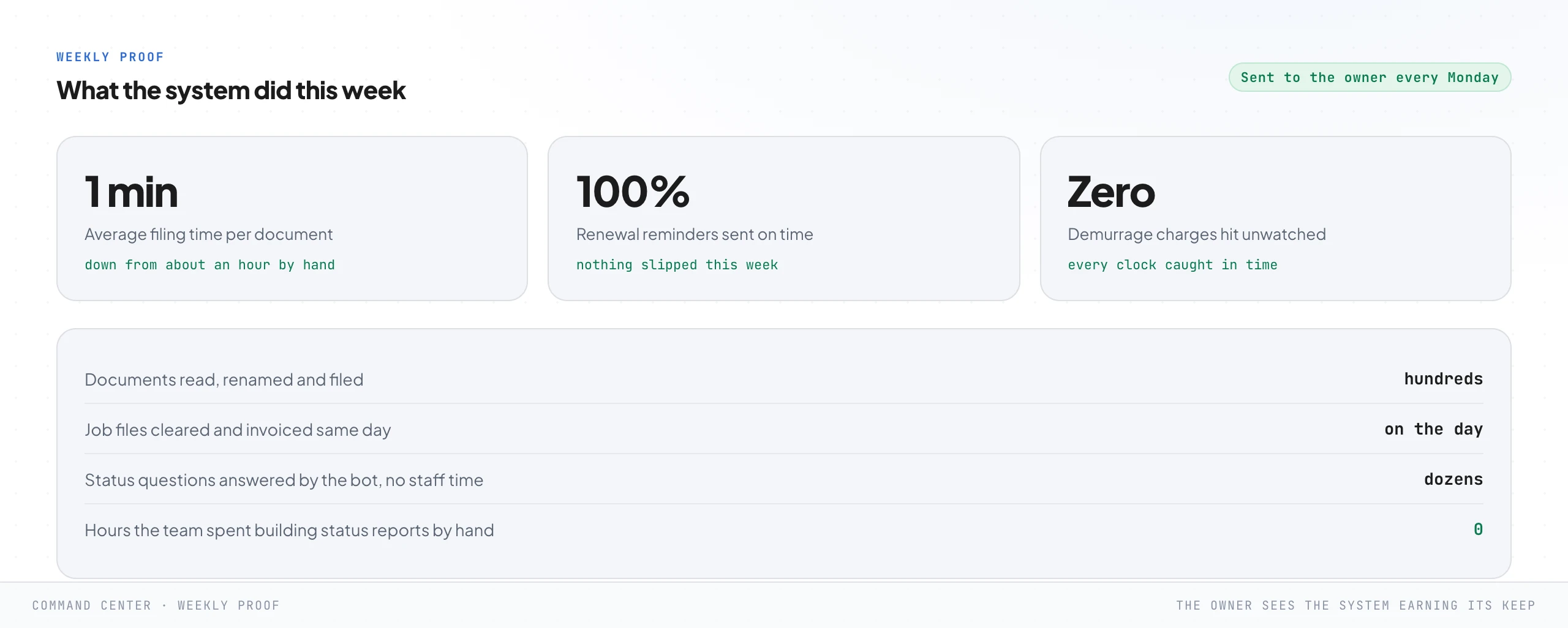
And this is where the baseline earns its keep. Every Monday a proof report goes to the owner and says, in the numbers they agreed at the start, what the system did this week.
Documents found in seconds instead of a twenty minute hunt. Every free-days window watched and reminded before it turned into a charge.
Zero avoidable demurrage hit while nobody was looking. It is not a dashboard somebody has to go and check.
It is the system reporting to the owner, unprompted, on whether it is still earning its keep, because a system that cannot prove its own value quietly becomes a subscription nobody can justify.
And then the question that is really the point: what does the owner do with the attention they just got back. In every firm the honest answer is the same, and it is why this belongs on a growth marketing site.
They go and do the work only the owner can do. Winning the right importers, the freight relationships that carry the real margin, the next lane, the next office.
Removal is not the end of the owner's involvement. It is the first time the owner gets to actually be the owner of the firm rather than its busiest clerk.
What it costs to run
This is the question every owner asks within about ninety seconds, and the honest answer surprises people in the right direction. It is far less than they expect, and far more transparent, because the running cost is metered and shown like a utility bill rather than hidden inside a flat fee.
For a working system on a real firm's consignment volume, the AI usage runs on the order of a few dollars a day, and the hosting and database are a few tens of dollars a month, so the whole thing comes to roughly a hundred dollars a month to run. Your volume will differ, which is exactly why the meter is built in from day one and shown to the owner on day one.
No hidden meter, ever, and a client should always be able to open a page and see what the system cost them this month.
Now put that next to what it replaces, with round numbers you can redo with your own. Say the owner and the team lose two and a half hours a day to chasing documents, re-keying invoices into the customs system and building status updates for consignees by hand, across twenty two working days.
That is fifty five hours a month. Value that time at even a modest fifty dollars an hour, low for experienced operations people, and it is over two and a half thousand dollars a month of attention, against roughly a hundred to run the system that gives most of it back.
And that ignores the two biggest wins, because neither shows up as time saved: the demurrage that stopped happening because a clock was finally watched, and the cleared work that finally got invoiced. Those show up as margin that did not leave.
Where to start on Monday
Nobody builds all nine steps at once, and you should not try. This is a map, not a project plan, and the map is useful the moment you have it, because it tells you where you are and what the next single step is.
So do not start with the screen that impressed you most. Start with the step the audit said is bleeding worst.
If containers keep slipping into demurrage because nobody watches the clocks, start with the free-days clocks and the job-file radar and the whole build pays for itself the first month a charge does not land. If cleared jobs keep going unbilled, the money-on-the-floor wall and the invoice filler are the fastest money in the building.
If your clerks are drowning in document chasing and re-keying, start with the document controller. The full logic for choosing the first thing is in what to automate first in a service business, and the honest way to measure whether it worked is in true ROI versus reported ROAS.
One thing at a time. Diagnose, build the one piece that hurts most, put a human gate on anything irreversible, then the next piece, which will be cheaper than the first because it sits on the same spine.
That is the whole method. This same framework runs in an accounting practice, a law firm, a clinic and a construction consultancy, the labels on the screens change and the nine jobs do not, and the full walk-through of the general version is in the 9-step framework for deploying agentic AI.
The firms that end up with a real system instead of a browser full of half-used portals all started the same way: one step too small to fail, aimed at a number they had already agreed was bleeding.
Frequently asked questions
It is a sequence of nine steps in three phases. Before you build: diagnose the demurrage and billing leaks, shadow one live consignment from booking to delivery, write the unwritten clearance procedure down, and baseline the current numbers. Build: a command center, the firm procedures turned into searchable data, and a document controller that works under safety rules. Removal: hand the work to the team as approvals, then remove the owner from the middle of every job file. The point is step nine, which is removal, not training.
No. The judgement stays with your licensed people, the customs broker who signs the entry and the operations head who decides which line to fight. The document controller reads and files documents, watches the free-days clocks, drafts invoices and answers status questions, then it stops at the point of anything irreversible, a customs filing, a delivery-order release, a message to a consignee, and waits for a person to approve. It refuses work that does not match the procedure and returns a blank rather than guessing an HS code or a date.
Every container gets three separate clocks on the command center, port demurrage, container detention and yard ground rent, instead of the single "free days" figure the line portals show, which hides the dangerous one behind an average. The radar ranks live job files by which charge lands first, so the container hours from demurrage sits at the top in red. The morning brief puts those clocks in front of the team before anyone opens a portal, with the reminders already drafted and waiting for a yes.
On a real firm's consignment volume the AI usage runs on the order of a few dollars a day, plus a few tens of dollars a month for hosting and the database, so roughly a hundred dollars a month in total. The meter is shown to the owner from day one rather than hidden in a fee. Set against fifty-plus hours a month the team loses to chasing documents and re-keying invoices by hand, plus the demurrage avoided and the cleared work finally billed, the arithmetic is not close.
Your software and the line portals are where the shipments and the numbers live. This is the layer above them that decides what happens and when, across every consignment at once. It reads the documents as they arrive, files them to the right job file, watches every free-days clock, chases what is missing, drafts the invoices and answers the status questions, then hands the team only the customs judgement and the approvals. It is not a replacement for your tracking or your customs system. It is the operating system that stops all of that landing on one owner's desk.
Install this in your business
An article gives you the map. A working session gives you the system, built around what you actually sell and who actually buys it.