
The 9-Step Framework for Deploying Agentic AI in a Construction Firm
 Digital PratikGrowth Marketing Consultant
 A construction firm deploys agentic AI in nine steps across three phases.
Before you build, you diagnose what is leaking, missed inspections, work completed and never invoiced, retentions forgotten, hours chasing RFIs and sign-offs, then shadow one project from site to sign-off, write the procedure down, and baseline the numbers.
Then you build a command center, turn the firm procedures into searchable data, and add a site controller that works under strict safety rules.
Then you remove yourself.
Step nine is not training.
It is removal.
Here is the part nobody says to the founder of a construction firm out loud. Somewhere between your first few projects and a full order book, you stopped being the builder and became the operating system.
Every drawing revision, every inspection booking, every open RFI, every "did we ever invoice that variation", every client asking when they get their keys waits on your attention, which means the whole firm moves exactly as fast as one senior person can read a project.
This is the framework we use to take that job off the director and give it to a system, without the risk that comes with letting software anywhere near a building that people will stand inside. It is nine steps in three phases.
Four before you build anything, three to build it, and two to do the thing the whole exercise is for, which is to remove yourself from the middle of every project.
It is worth saying clearly what this is not, because in construction the wrong reading of it is dangerous. It is not a robot that signs off buildings, and it is not "let AI decide whether a structure is safe".
Every judgement that carries a professional stamp, every engineering call, every decision about whether something is fit to occupy, stays exactly where it is now, with the qualified people who are trained and insured to make it. What changes is that the reading, the sorting, the chasing, the filing and the drafting stop landing on one desk, so an inspection never slips because somebody was buried in an RFI register the week it mattered.
You quietly became the operating system
It happens slowly. In the early years you ran the sites, booked the inspections, chased the drawings and raised the valuations yourself because there was nobody else, and you were good at it, so the firm grew.
Then it kept growing and the routing never left your head, because it was faster to just do it than to write it down. Now you are the one who remembers a building control inspection is due, who knows a consultant still owes you an answer on an open RFI, who spots that a whole stage of work was completed weeks ago and never made it onto a valuation.
None of that is written down anywhere. It lives in your attention, and on a construction project attention is the scarcest thing there is, because a project is not one deadline, it is hundreds of small dependencies stacked on top of each other, each one able to hold up the next.
Three things follow, and every one of them costs the firm real money and, worse, real time on site.
- The firm runs at reading speed. A director spending two or three hours a day reading site emails, chasing sign-offs and checking who is on top of what is normal. That is not delivery work. It is triage, done by your most expensive and least replaceable person.
- Approvals get met because somebody remembered. Which is fine until the one busy week nobody did. A missed inspection is a resequenced programme, a trade stood down, and a client watching their handover date drift while they are still paying rent somewhere else.
- Nothing survives your holiday. A firm where one director is the router does not pause when that director is away. RFIs sit unanswered, stages go unbilled, retentions get forgotten, and you find out when you get back to a programme that quietly slipped a fortnight.
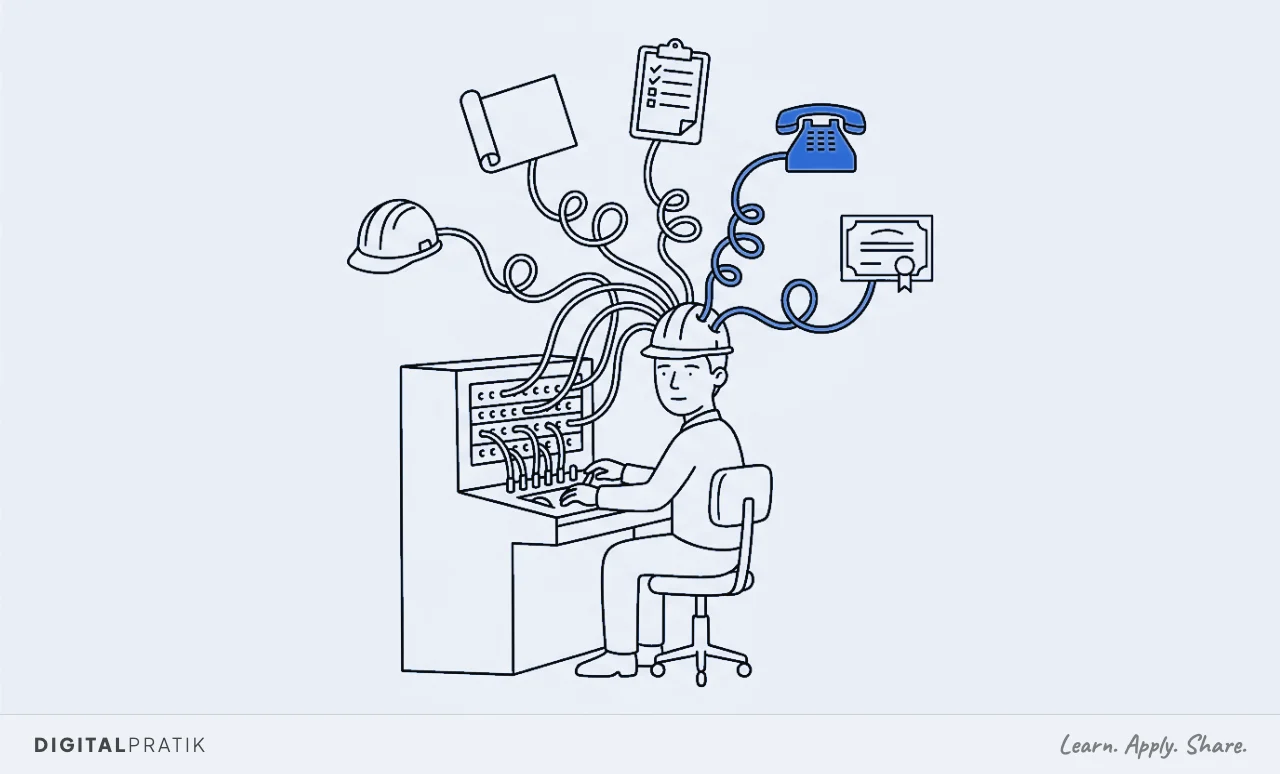
The instinct is to fix this by hiring another project manager. That works, and it also adds salary, supervision, and one more person who has to learn all the unwritten rules you were already the only keeper of.
You have not removed the bottleneck, you have given it a second head to depend on, and on a project handover the two of you now have to agree on what the state of things even is before either of you can act. The alternative is to write the routing down and let a system run the parts that never needed a chartered brain in the first place.
That is what the next nine steps do.
And there is a particular fragility to a construction firm that this exposes. The real programme, the one that actually gets buildings finished, is rarely the one on the wall.
It lives in the site manager who knows which inspector books up weeks ahead, which consultant answers RFIs fast and which one has to be chased three times, which client always changes their mind at second fix. That knowledge is worth a fortune and it is stored in exactly one place, a person, and it walks off site the day they move to a competitor or retire.
For a construction firm, the client experience is the marketing
One belief before the framework, because it decides how you read the rest of it. In a construction firm, the client experience is the marketing.
Not the website, not the sign on the hoarding. The project that finished on the date you promised.
The RFI answered the same day so a trade did not stand idle. The handover pack that arrived complete and in order, so the client felt looked after rather than abandoned the moment the scaffold came down.
That is what gets a firm the next project and the referral to the client's business partner, and it is produced almost entirely by the nine jobs we are about to automate.
This is why it belongs on a growth marketing site rather than in a site-management software catalogue. A slipped handover is not an admin problem, it is a client who will hesitate before they hand you the next one, and who will say something careful when their friend asks for a recommendation.
A completed stage that was never valued and never invoiced is not a finance oversight, it is money you already spent labour and materials to earn and then simply gave away. When the operating system is one tired director, the client experience frays in exactly the places a client remembers and a competitor asks about.
Which brings up the trap most growing construction firms fall into. They try to grow by winning more projects, into a firm whose delivery still runs through the directors.
That does not produce profit. It produces overrun programmes, unbilled variations, snagging that drags for months and a reputation that starts to wobble.
This is the capacity problem, and it is one of exactly three things almost every stuck firm is stuck on. The other two are getting the right projects in and converting the tenders, and I have written the full diagnostic in the 3A Machine.
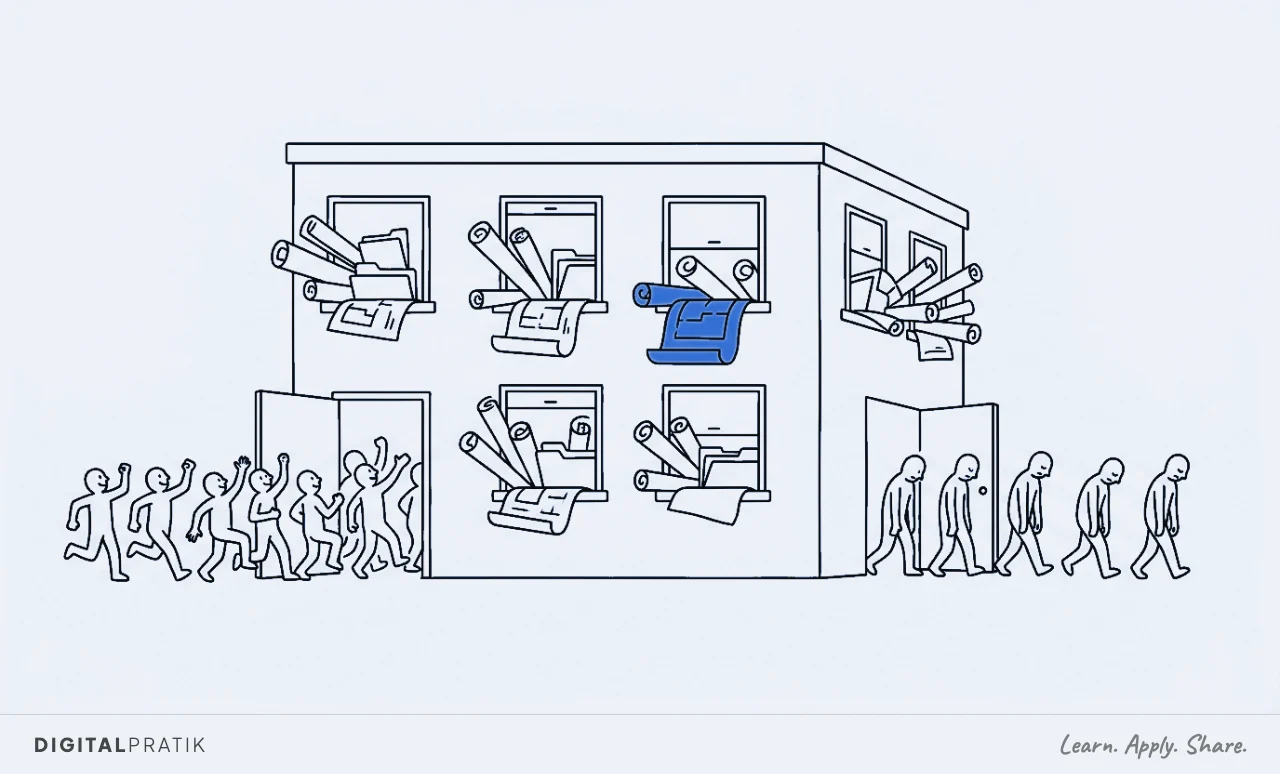
So the goal of deploying agentic AI in a construction firm is not "use AI to build". It is to build the capacity that lets you take on more work without the programme falling over and the quality slipping.
Get the nine steps running and the same directors and the same site teams carry two or three times the project load without a single inspection slipping through the cracks. Fix capacity first, then go and win the projects.
The nine steps, in three phases
Here is the whole map on one page. Your firm already runs all nine of these jobs today, whether or not anyone has ever named them.
The framework does not add work. It names the jobs, then decides one at a time whether a person does each one or a system does it.
| Step | Phase | The job it does |
|---|---|---|
| 1. Diagnose | Before build | Quantify what is bleeding: missed inspections, unbilled stages and variations, forgotten retentions, hours lost chasing RFIs and sign-offs |
| 2. Shadow | Before build | Follow one real project from site progress to sign-off and excavate the unwritten rules |
| 3. SOP | Before build | Turn the recording into a written procedure a machine can read, including the completion-certificate checklist as a hard gate |
| 4. Baseline | Before build | Agree the current numbers, in writing, before you change anything |
| 5. Command center | Build | One screen: the project radar, the approvals clock, the document wall, the completed-but-not-invoiced work |
| 6. Procedure as data | Build | The firm's mind: every rule, inspection stage, checklist and past answer, searchable |
| 7. The site controller | Build | Reading, filing and chasing on time, working the procedure under four safety rules and a refusal fence |
| 8. Handover | Removal | The team approves instead of performing: briefs, drafts, activity, approval alerts |
| 9. Removal | Removal | The director steps out of the routing. The weekly proof shows the system earning its keep |
Notice the shape. Four steps happen before anybody builds anything, and skipping them is the single most common reason a firm's "let us try some AI on site" project quietly dies.
People buy the clever part first, point it at nothing in particular, and end up with a fast tool that does not know how the firm actually delivers a building. The order below is designed to stop that.
Step 1. Diagnose: find what is actually bleeding
You cannot fix what you have not counted, and most firms have never counted this. So the first step is a leak audit, and its only job is to put a number on the money and the time already walking off site.
Not a survey of how everyone feels. A count of losses.
In a construction firm the leaks are always in the same few places. Inspections and sign-offs that were booked late, or missed, and the resequenced programmes and stood-down trades that followed.
Stages that were completed and never valued, and variations agreed on site with a nod and never written up into an instruction, which in most firms is a far larger number than the directors guess, because a variation that never became paper never became money. Retentions held back at practical completion and then quietly forgotten a year later when the defects period ended and nobody sent the release request.
And the hours the team burns every week chasing consultants for RFI answers, chasing subcontractors for their certificates, and rekeying the same information from a drawing into a schedule into an email.
There is one more leak, the quietest of all, and in construction it is the most expensive. It is the client who did not come back.
Not because the building was bad, but because the experience of getting it was chaotic, the updates never came, the handover pack was late and incomplete, and a slicker firm down the road made their next developer friend feel looked after. Add all of it up honestly and the total is almost always bigger than expected, and concentrated in two or three places rather than spread evenly.
That concentration is the gift. It tells you exactly where to point the build first, and it becomes the before number you use, at the very end, to prove the system paid for itself.
Step 2. Shadow: follow one project from site to sign-off
Now you watch. Pick one live project, a fit-out, a refurbishment, a groundworks package, and follow it end to end, writing down every single thing that happens to it and every decision anybody makes.
Not the tidy version in the quality manual nobody opens. The real one, from a stage finishing on site to the certificate that says it can be signed off.
This is where you discover the firm does not run on the written process. It runs on a hundred unwritten rules that live in your site managers' and project directors' heads and, more than anywhere else, in the site WhatsApp group and the email threads.
Which inspection has to pass before the next trade can start. How this particular consultant likes an RFI worded so it comes back fast rather than bouncing.
What always gets missed on a fire strategy sign-off. The client you never issue a completion request for without the director personally checking the pack first.
None of it is written down, all of it is load-bearing, and some of it is genuinely safety critical.
The excavation is the real work of this step. You read back through the threads and the RFI register and pull out the rules the firm actually operates on, the ones that were never a decision, just a habit that turned out to be right.
That messy, lived-in reality is what you are about to encode. Skip it and you will automate the fantasy version of the firm, ship it, and watch the site managers quietly go back to running things their own way because the system does not know what they know.
And be honest about the fragility this surfaces: in most firms the real sequence for getting a building signed off is one long-serving person's memory, and it walks off site the day they leave.
Step 3. SOP: write the unwritten procedure down
Everything you excavated now becomes one written procedure. Plain language, step by step, in the order it really happens, with every rule and every exception stated.
This is the least glamorous step in the framework and it is the one that makes an agentic system possible, because a site controller can only work a procedure that has actually been written.
For getting a project to sign-off it looks like a hard checklist: these specific inspections passed, in this order, these certificates collected, this drawing set marked as built, reviewed by a named person at this point, and the project does not advance to a completion request until every item is present and checked. Written as a procedure, the messy reality becomes a gate a machine can enforce perfectly, every time, without a tired director waving a pack through on a busy handover day because the client is on the phone.
The same goes for opening a new project, raising an interim valuation, issuing a variation instruction, or closing out snagging. Each becomes a written sequence rather than a thing your best people simply "know".
The single most important thing you write down in this whole step is the completion-certificate checklist, and you write it as a fence, not a suggestion. List every sign-off that must be present before the firm is even allowed to request a completion certificate: the building control final inspection, the fire strategy sign-off, the electrical and mechanical certificates, the as-built drawings, the operation and maintenance manual, and the consultant sign-off.
This is the list the refusal fence in step 7 will read from, and getting it exactly right here is what lets you trust the system with it later. Write it for a competent new project coordinator on their first day, not for a machine.
If a person could follow it without asking a single question, a system can run it. If it still needs somebody to "just know", the procedure is not finished, and you are not ready to build.
Step 4. Baseline: agree the numbers before you touch anything
The last step before the build, and it is thirty minutes that saves you a year of arguments. Write down the current numbers and get the directors to agree them.
How long it takes to file a drawing or a certificate to the right project today. What share of inspections actually get booked comfortably ahead rather than in a panic.
How much completed work is sitting valued but not invoiced right now, and how much is not even valued yet. How much is tied up in retentions you have not chased.
How fast the first answer to a client update goes out. Real numbers, honestly rounded, on the record.
You do this for one reason. In three months, when the system is running, memory rewrites history.
People forget how bad it was, decide it was "always basically under control", and start to wonder what they are paying for. The baseline is the receipt.
It is what lets the weekly proof report at the end say "filing a certificate to the right project went from about twenty minutes by hand to about two" and have that land as a fact the directors agreed up front, rather than a vendor's claim.
It is also the moment to decide what "better" means for this firm, so the build aims at a number and not a vibe. A firm bleeding on unbilled variations is not chasing the same win as one whose programmes slip because inspections get booked late.
A firm losing money in forgotten retentions is a different build again. Name the number now.
It is what everything you build next is pointed at.
Step 5. The command center: the whole firm on one screen
Now you build, and the first thing you build is the place the director looks. One screen that shows every live project at a glance, in the order that costs money and time, so nobody reconstructs the state of the firm from six systems, three site WhatsApp groups and a pile of drawings every morning.
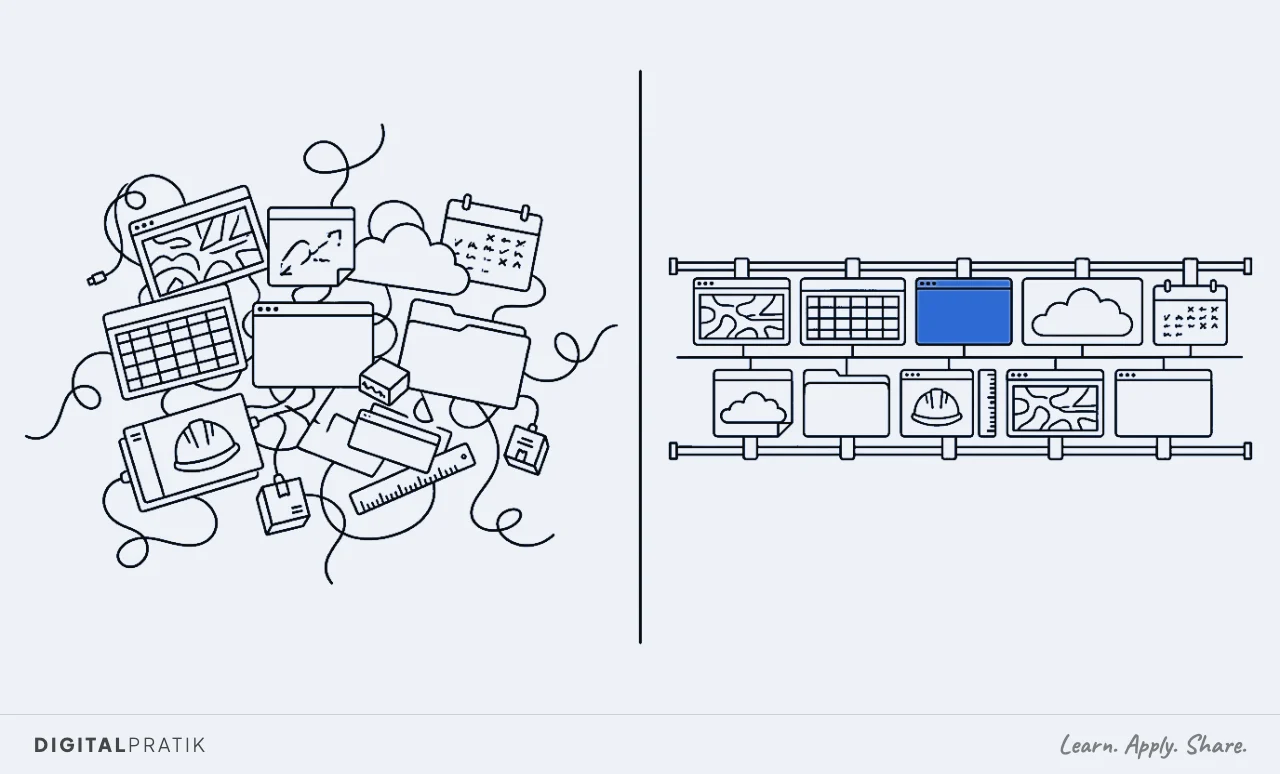
Build it on one spine, not twelve tools. This matters more than it sounds.
Every job in the audit is tempting to solve with its own separate app, a scheduling tool here, a document store there, a snagging app, an RFI tracker, a valuation spreadsheet, and a year later you have a dozen subscriptions that do not talk to each other and a director who is now the integration layer between them. Build the whole thing on one foundation, one place the data and the context live, and the next piece is nearly free because everything it needs already exists.
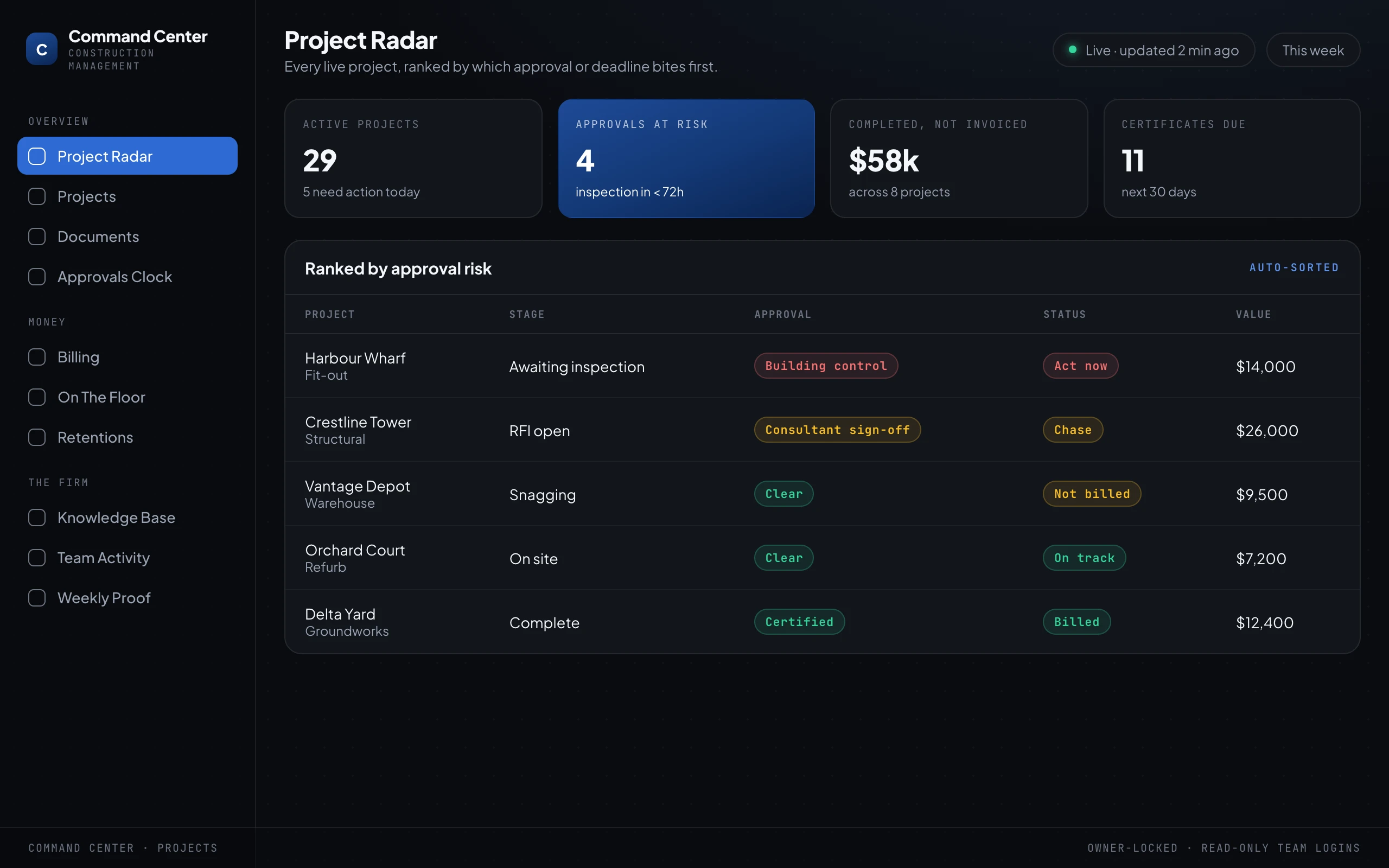
The centre of the screen is a project radar: every live project, ranked not by date but by which approval or deadline bites first. The fit-out that is 48 hours from a building control inspection with a sign-off still outstanding sits at the top, in red, whether or not anybody asked.
Around it, the numbers a director actually needs, the projects that need action today, how many approvals are at risk, how much work is completed but not invoiced, how many certificates fall due this month.
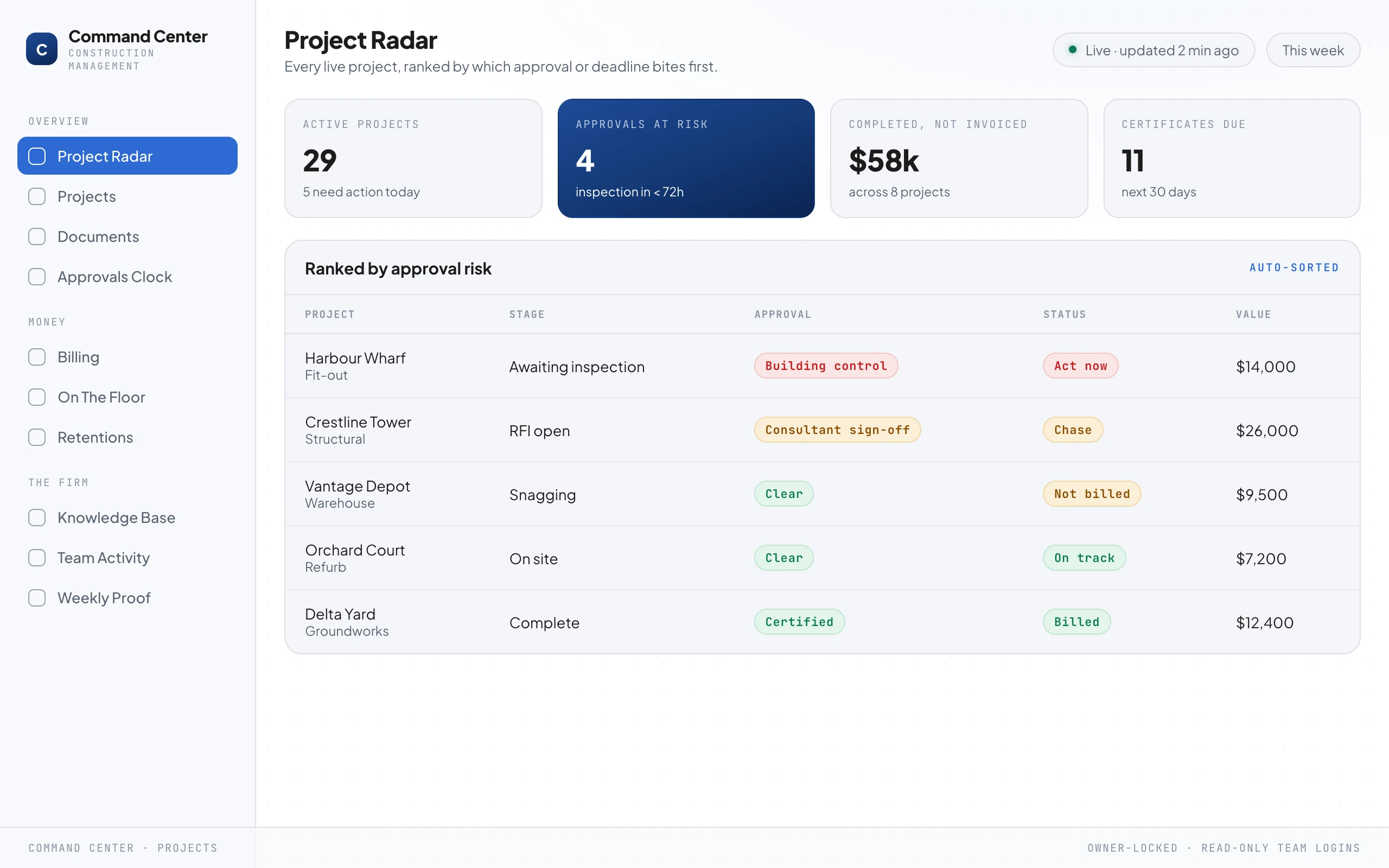
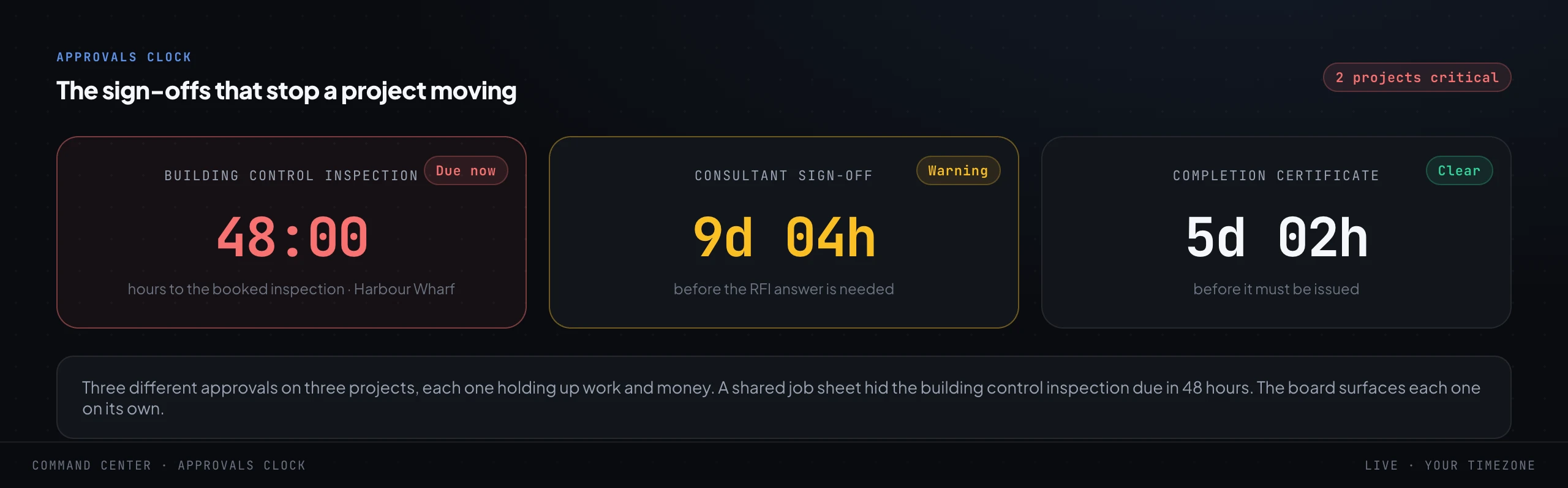
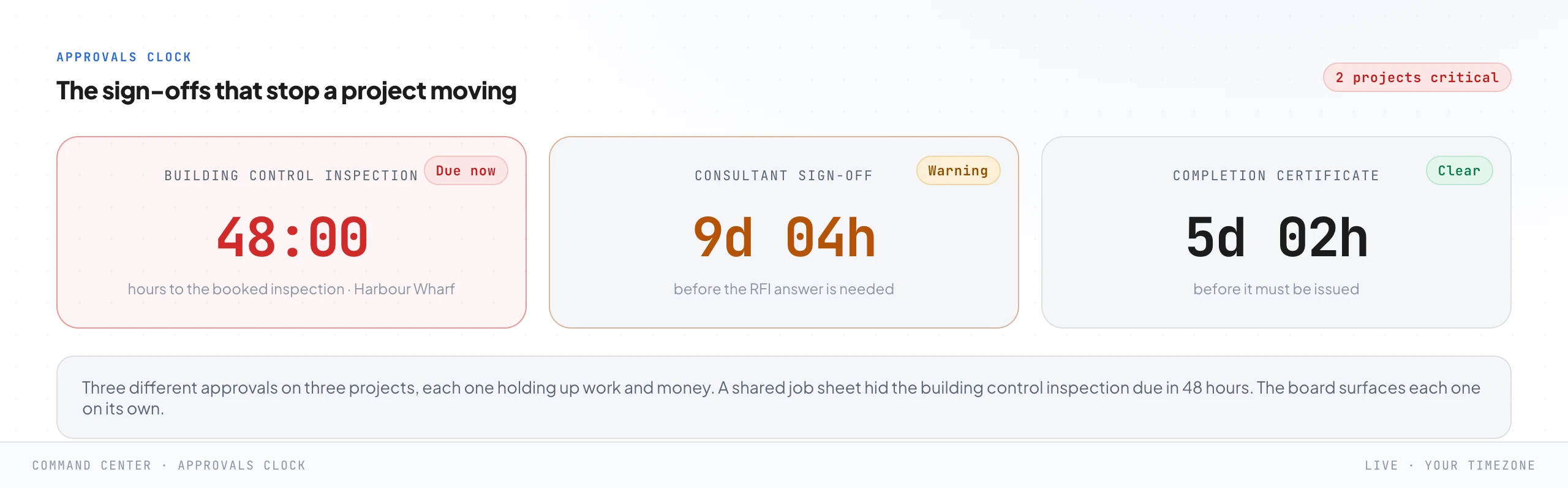
Then the approvals clock. A construction firm does not have one deadline, it has dozens running at once across every project, and a single shared job sheet flattens them into a comforting average that hides the one about to hold up a whole trade.
The command center pulls them apart and shows each on its own, so the building control inspection, the consultant sign-off on an open RFI and the completion certificate are three separate clocks and the dangerous one is the one you see first.
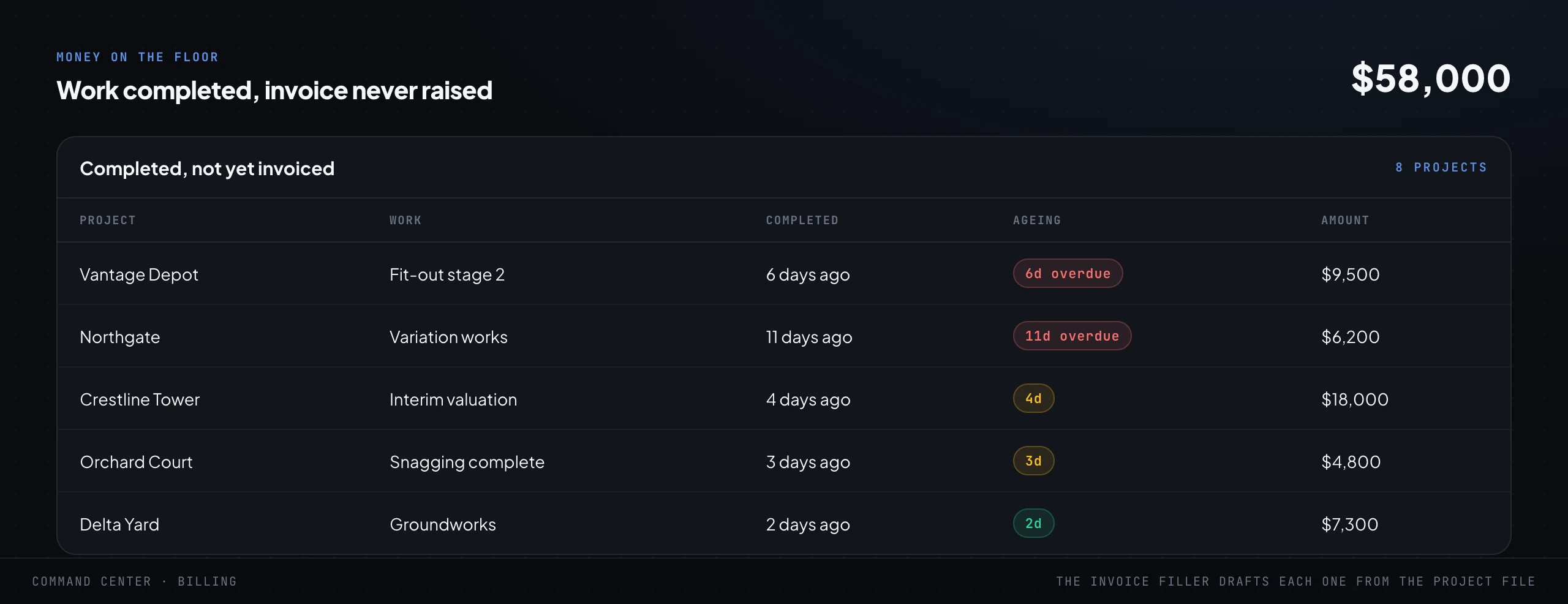
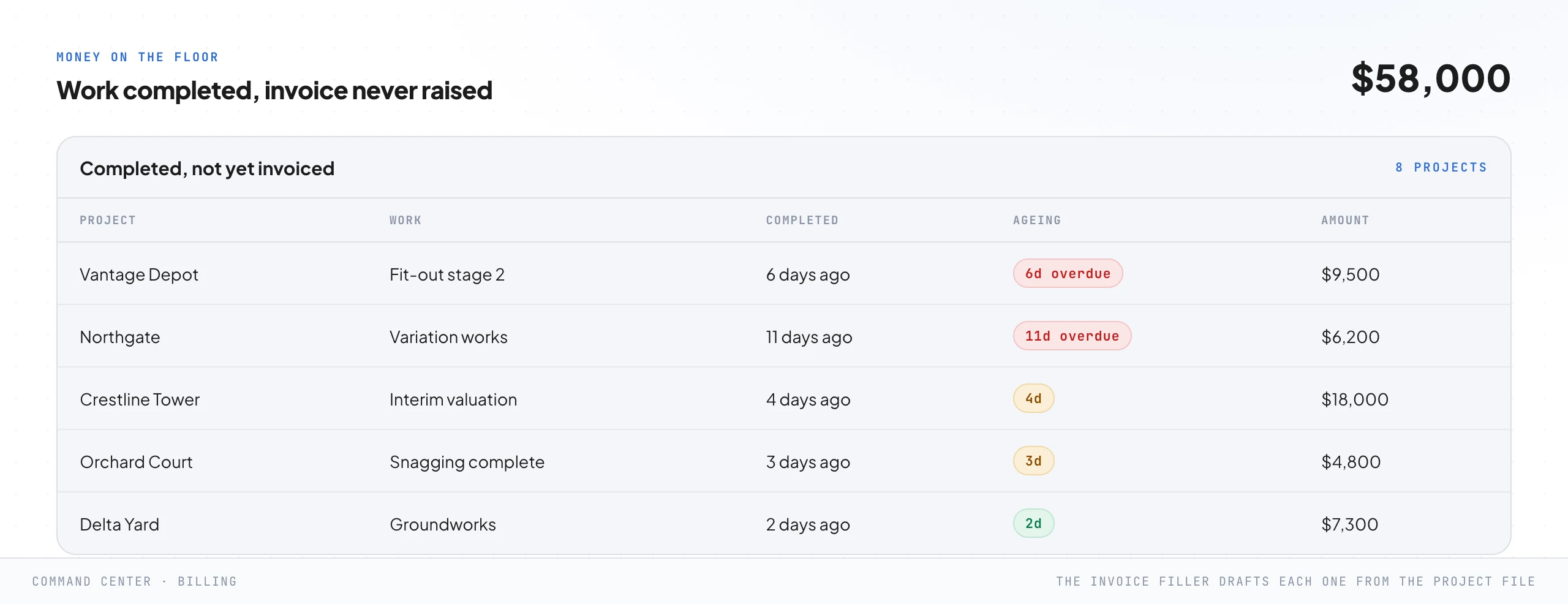
Beside the clocks, the money on the floor: every stage completed, every variation carried out, and never invoiced. In most firms this is a genuinely uncomfortable number the first time it appears on a screen, because the work was already paid for in labour, plant and materials and simply never got valued and billed.
It was not a decision. It was that raising the valuation was a small annoying job that fell between the site manager and the office, which is a fair description of most of what leaks in a construction firm.
And on the same screen, quietly, the retentions, the money the client is holding that you are entitled to release, sitting in a column nobody was watching.
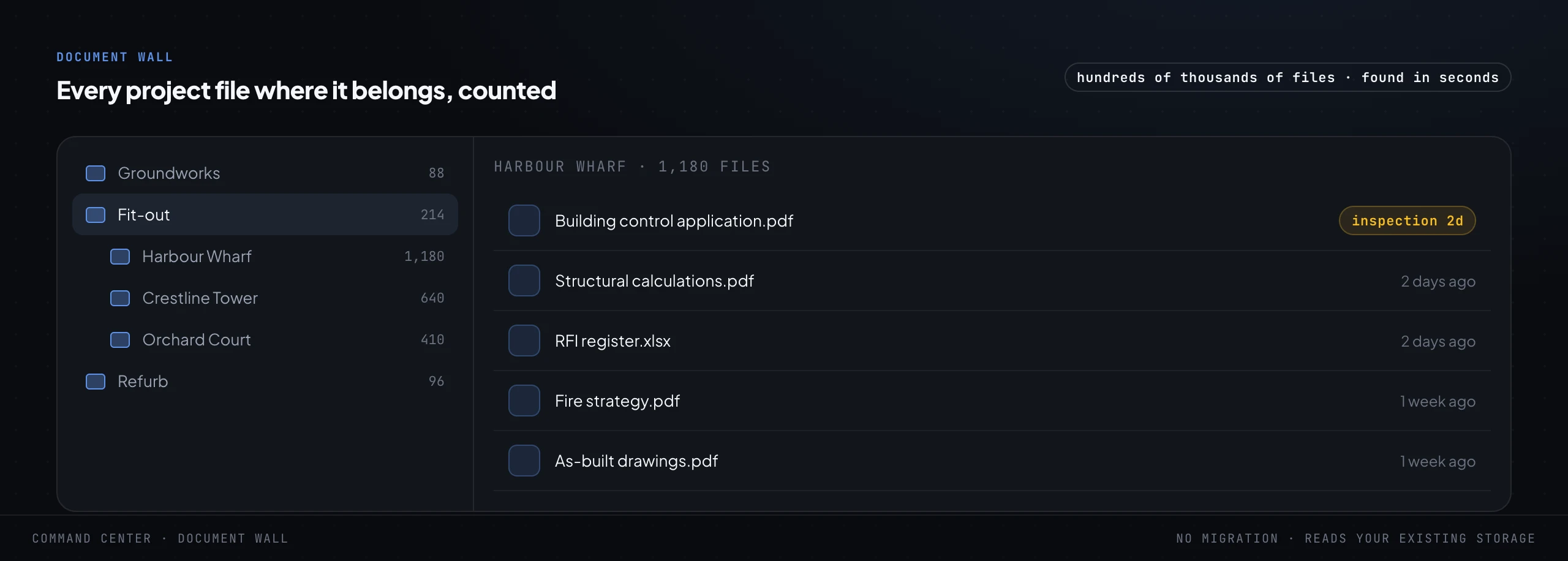
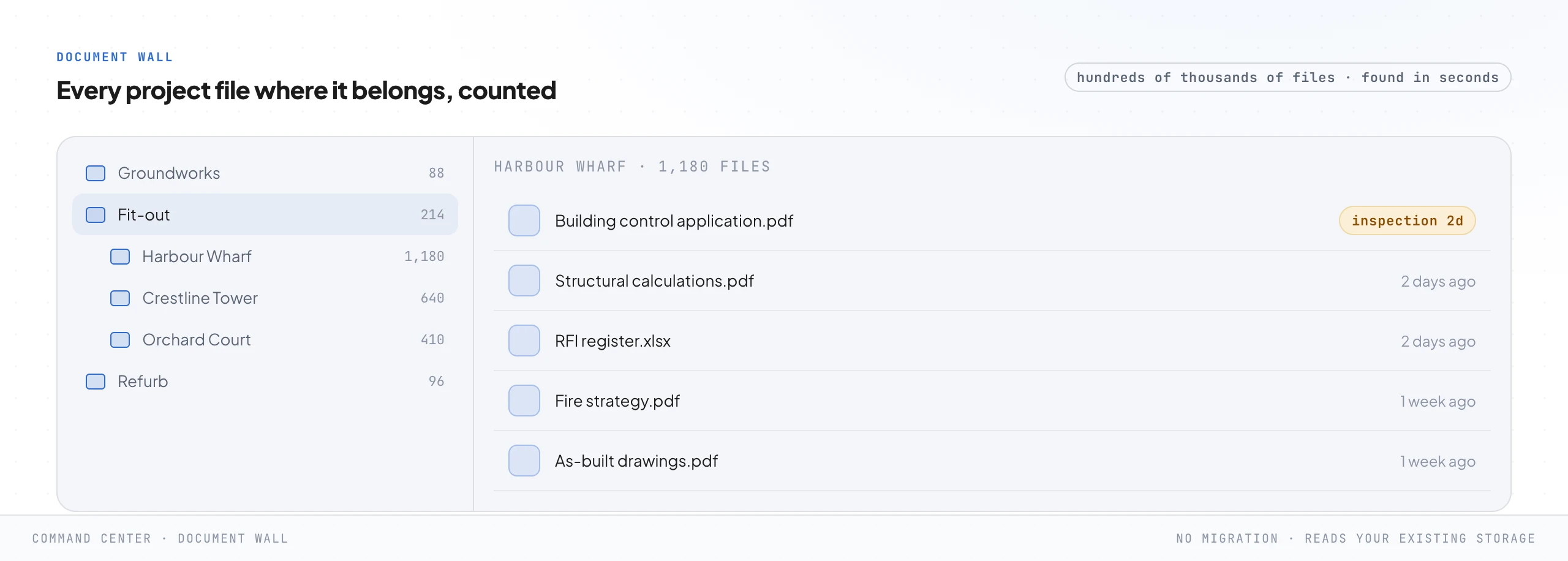
And the document wall. An established construction firm is sitting on an enormous pile of project records, hundreds of thousands of files across drawing revisions, certificates, RFI registers, fire strategies and as-built sets in folders nobody has fully mapped in years.
The command center reads that existing storage where it already lives, with no migration and no "please move every project into our new system", and makes it navigable and countable, so any drawing revision or certificate is found in seconds instead of a frightened hunt through five folders while a client or an inspector waits on the phone.
One design choice worth naming, because clients always ask. The command center is owner-locked, and the team gets read-only logins scoped to what they need.
A director sees the whole order book and the money. A site manager sees the projects assigned to them.
Nobody can quietly change a number they should only be reading, and the director never loses the single honest view of the firm the whole build exists to give them.
Three things run underneath all of it, quietly. The whole system is backed up on a schedule, so a bad day is never a lost day.
It is locked down so the data only ever answers to the people you named. And a heartbeat watches the system itself: if a job that should run every morning goes quiet, you hear about it before a client does.
None of this is glamorous and all of it is why you can actually trust the thing to run without you standing over it.
Reading the map and walking it are different jobs. If you run a construction firm doing AED 10 million a year or more and you are still the operating system, this is what a working session looks like.
Step 6. The procedure as data: the firm's mind
The procedure you wrote in step 3 is a document, and a document just sits there. In step 6 you turn it into data the system can reason over: every rule, every inspection stage, every checklist, every regulation update, and every good answer the firm has ever given, connected by meaning rather than filed in folders.
This is the firm's mind, and it is what makes the site controller in the next step sound like your firm instead of a generic model that has never been on a site.
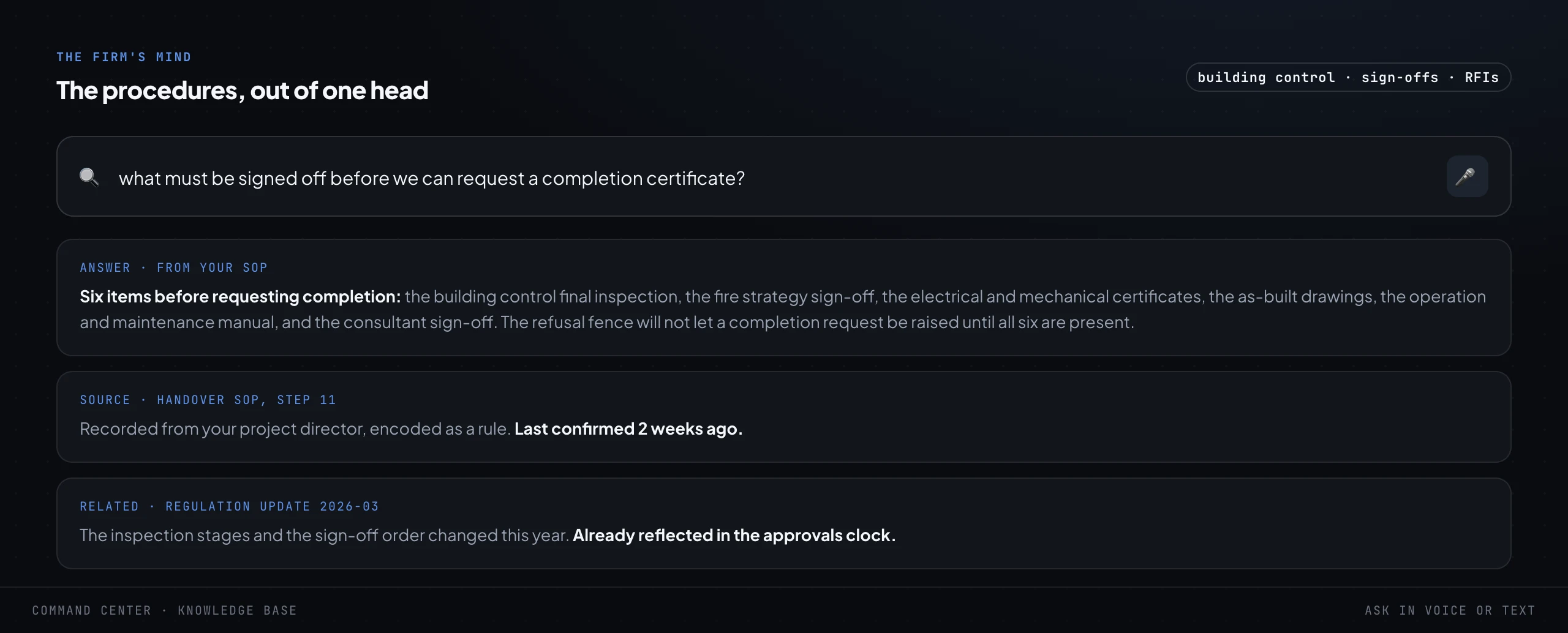
In practice it means anybody can ask a plain question and get the firm's own answer, not the internet's. What must be signed off before we can request a completion certificate.
What changed in the latest regulation update and does it affect our inspection stages. What is our sequence for closing out snagging on a fit-out.
The answer comes back grounded in the firm's own written procedure, with the source it came from, so it is checkable rather than a confident guess, which matters enormously when the subject is whether a building is ready to hand over.
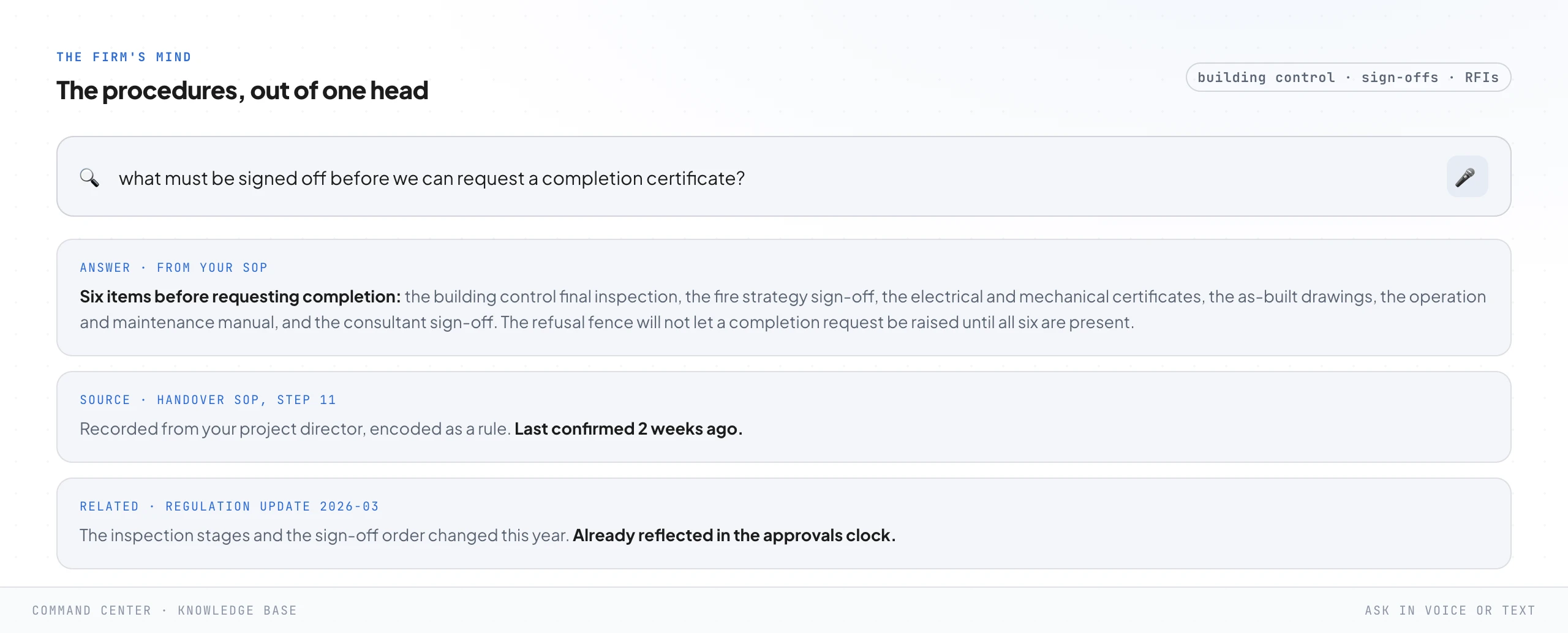
The reason this matters more than it looks is drift. A general model, asked the same sign-off question twice, will happily give two confident and slightly different answers, and in an industry where a building has to be safe to occupy that is not a quirk, it is a liability.
Grounding every answer in the firm's own written procedure kills it. The system is reading your rules and quoting them with the source, and when a regulation changes you change it in one place and every answer changes with it.
It is also where the completion-certificate checklist becomes an enforceable gate rather than a piece of advice, because the refusal fence in the next step reads its six required items from exactly here.
Step 7. The site controller: reading, filing and chasing that shows up on time
Now the part people picture when they hear "AI". An employee, not a chatbot, and the distinction is the whole thing.
A chatbot waits to be asked. An employee wakes on a timer, reads the live state of every project, does its round, files the work, chases what is missing, and flags what needs a human, whether or not anybody prompted it.
I have written the longer version in AI employees, not chatbots.
In a construction firm it is a small crew of them, each with one job, all reading from the firm's mind. A site controller that reads a photographed inspection notice, a certificate or a drawing revision, understands it, files it to the right project and updates the approvals clock.
An invoice filler that drafts the interim valuation or the final account for a completed stage straight from the record of the work. A talking agent that answers a client's "when is my handover" question, in their own language, without pulling a director off a site visit.
And at the centre of it, the piece that makes the whole thing safe to run, the refusal fence.
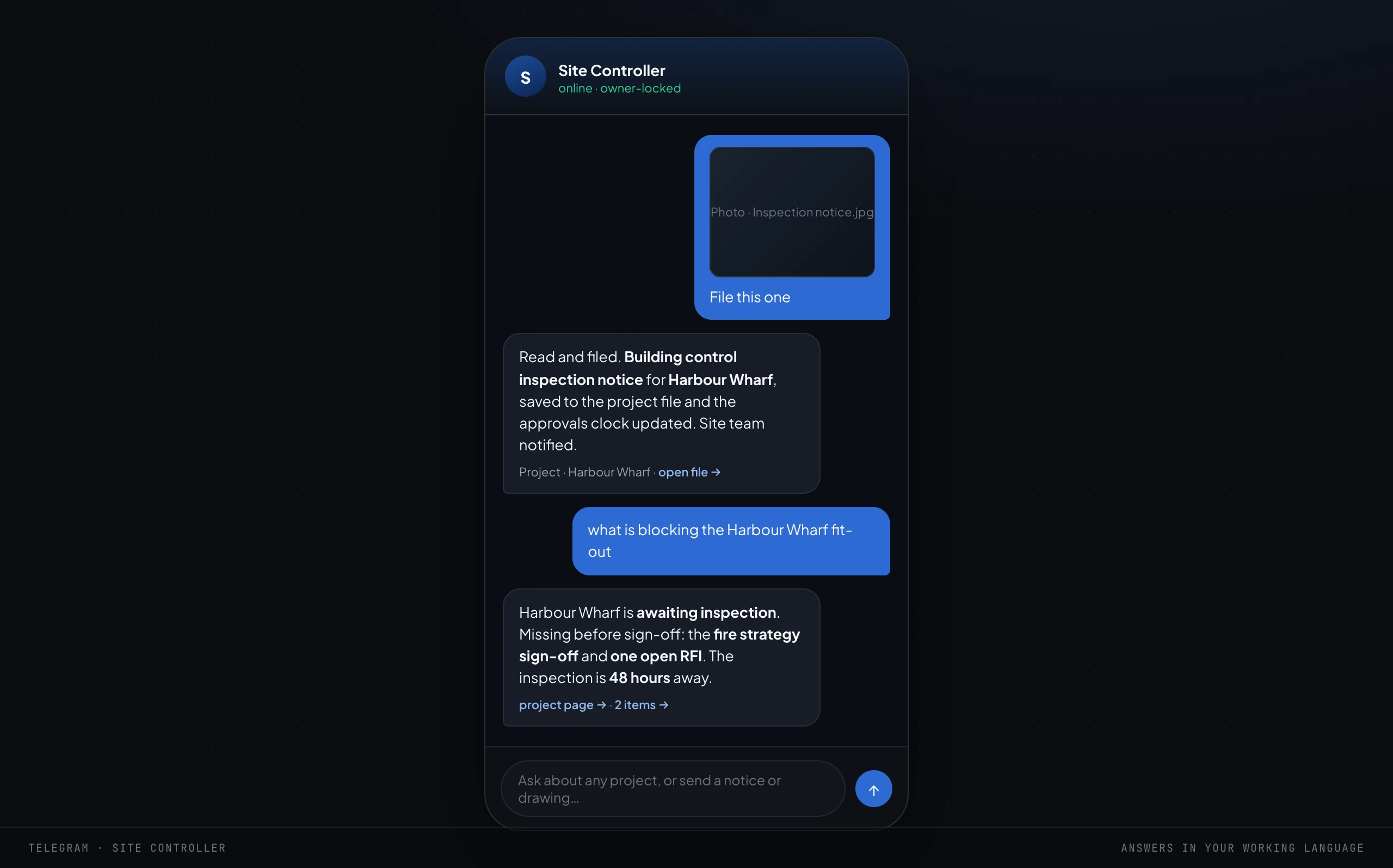
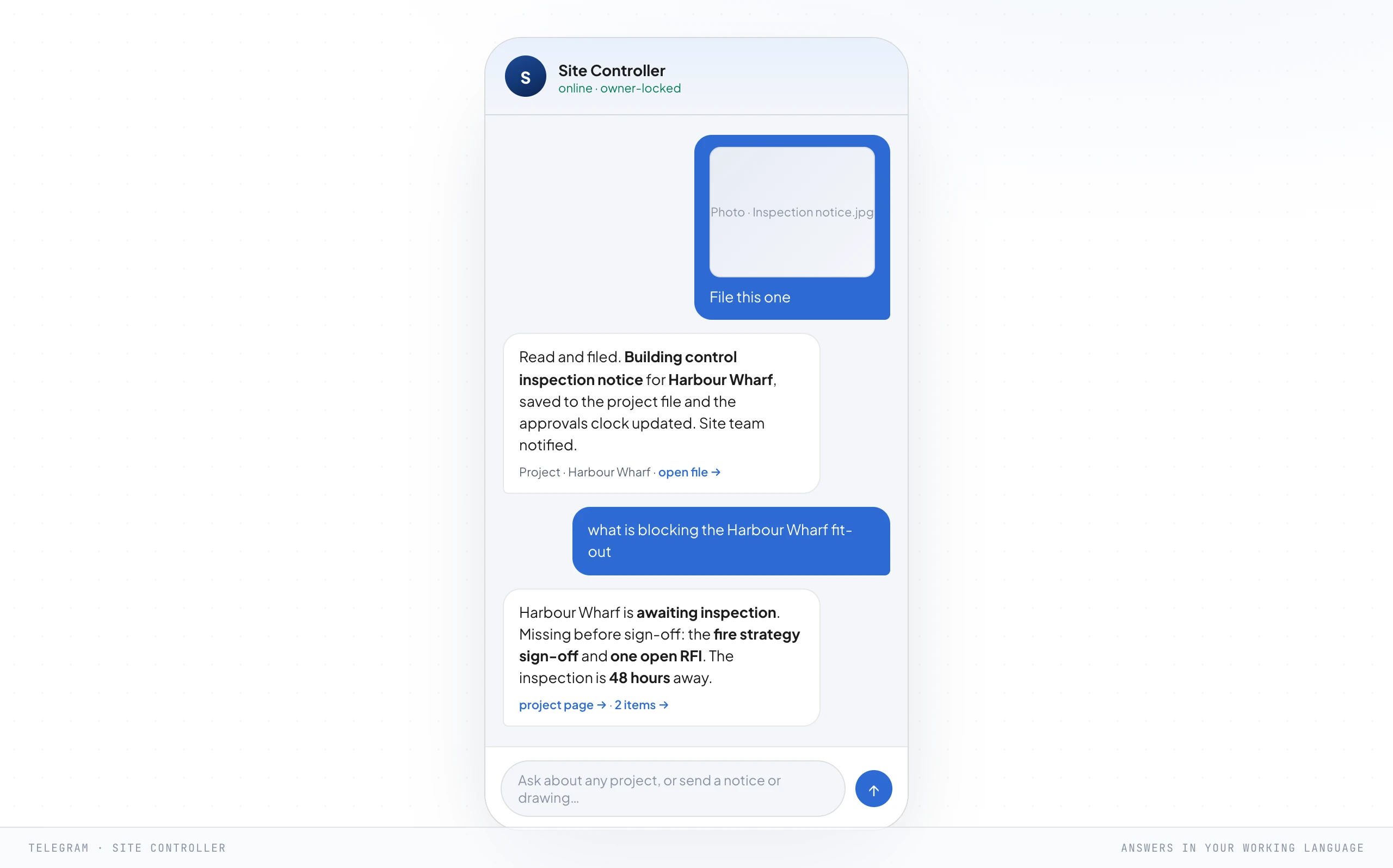
The refusal fence deserves its own paragraph because it is the distinctive thing this framework does for a construction firm. It is a hard gate wired to the completion-certificate checklist from the firm's mind, and it does exactly one thing: it will not let anyone raise a completion request for a project until every required sign-off is present.
If the building control final inspection has not passed, or the fire strategy sign-off is missing, or the as-built drawings are not in, the system refuses, tells you which items are outstanding, and stops. No amount of "just this once, the client is desperate for the keys" moves it.
A person can still override it deliberately, on the record, with their name on the decision, but the default is a locked door, and a locked door on a completion certificate is precisely the thing you want a paperwork-heavy approval process to have.
There is a quieter agent in this crew that directors never ask for and always end up valuing most: a critic. Before any piece of work reaches a human, a second agent grades it against the procedure.
Is this the right drawing revision, does this certificate actually cover the work it is filed against, did the valuation include the variation. Anything that fails goes back to be redone before you ever see it.
This is the line between AI you can run and AI you can trust on a project where a mistake shows up in a building.
An employee that can act is useful and it is also dangerous, so this step ships with four safety rules and they are not optional. They are the reason you can hand a system this much and sleep.
And note the rule that sits above all four and is never in question: any judgement that carries a professional stamp, any decision about structural adequacy, fire safety or fitness to occupy, stays with the qualified, insured people who are trained to make it. The system reads, files, chases and drafts.
It never decides whether a building is safe.
- It refuses out-of-procedure work. If a request or a record does not match the written procedure, the site controller declines and escalates rather than improvising, and it will not let a completion certificate be requested until every required sign-off is present. The refusal fence is a feature, not a failure.
- Every file operation stays inside set boundaries, and deletes go to a recycle bin. It cannot reach outside the project folders it was given, and nothing it removes is ever gone. A misfiled drawing is always recoverable, and no project record is ever truly deleted.
- Every client-facing message waits for a human yes. It drafts the update, the RFI chase, the valuation, the certificate request, then stops. A person reads it and presses send. Anything that touches a client, their money or the firm's name and reputation gets a human on it.
- Ambiguous figures and dates come back empty, never guessed. If it is not sure which stage a cost belongs to, or when an inspection is actually booked, it says so and asks. A blank is safe. A confident wrong date on an inspection or a wrong figure on a valuation is how a system does real damage on a project.
Two things make that crew safe to hand real work to. First, each agent is given a narrow, controlled connection to the business's own tools, its files, its records, its calendar, and nothing beyond them.
It works inside your systems, so it answers from your firm rather than the open internet, and it cannot wander off to touch anything you did not hand it. Second, every action it takes comes back as a receipt: a short note in the chat that says what it just did, so nobody is ever guessing what the system touched.
All of it runs on Claude, the model we build everything on.
Step 8. Hand it to the team
The build is running. Now it stops being the director's private tool and becomes how the team works, and the shift is subtle but total: people move from performing the work to approving it.
The system does the first pass of everything and a person says yes, changes a figure, or sends it back. Same team, far more projects delivered, and your qualified people are left doing the site judgement and the client relationships that were always the actual job.
That handover is made of a few specific things. A daily status drafter that writes the update a client is owed on their project, ready for a person to approve.
An activity wall so a director can see what the system and the team did without asking. A change watcher that notices when a project stalls at the same stage for days, an RFI sits unanswered, or an inspection date moves.
And the piece everyone feels first: the morning brief.
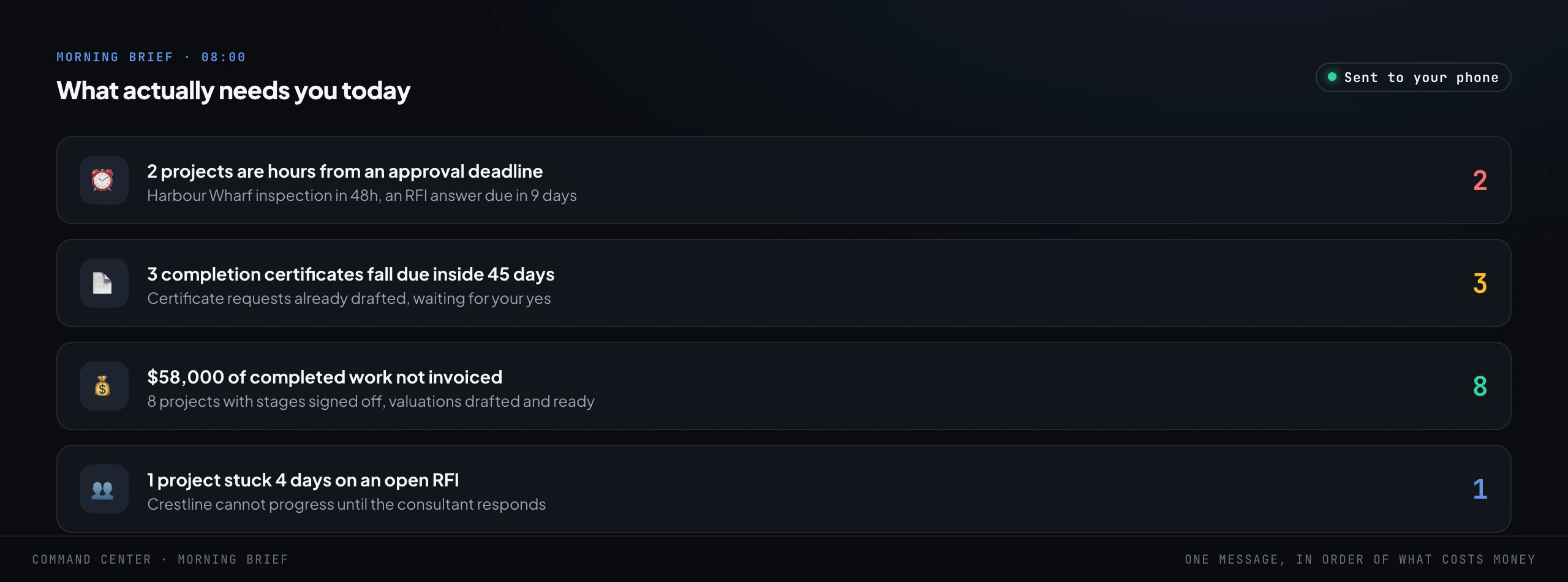
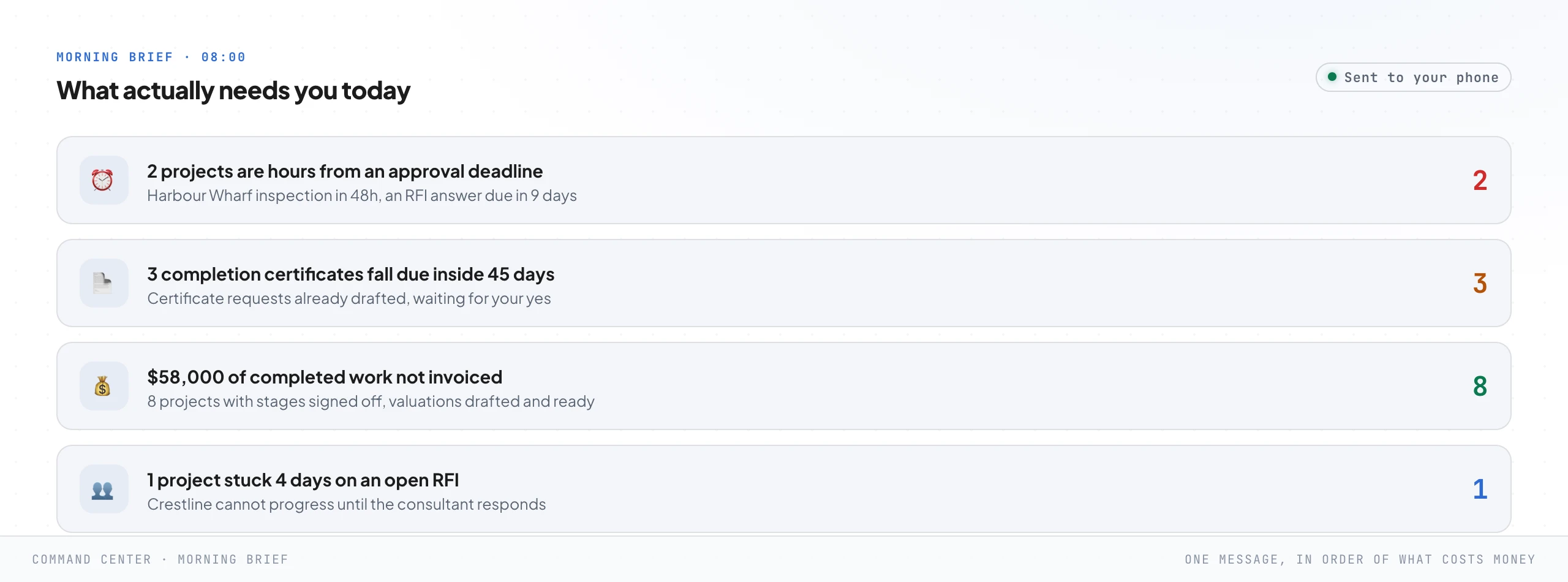
At eight in the morning, before anyone opens anything, one message lands in order of what costs money and time: here are the two projects hours from an approval deadline, here are the completion certificates due this month with the requests already drafted, here is the completed work waiting to be valued and invoiced, here is the project stuck because a consultant has not answered an RFI. The team walks onto site already knowing the day instead of spending the first hour discovering it.
A word on the human side, because it decides whether any of this sticks. The word removal frightens a team, and if a site manager thinks it means removing them, they will quietly starve the system of the knowledge it needs, and their knowledge is the most valuable input it has.
It does not mean that. It means removing the drawing filing, the RFI chasing, the frightened certificate hunts, and leaving people with the site craft, the problem solving and the client relationships that were always the real work.
Say it out loud, early and often. A team that believes the system is on their side will feed it.
A team that fears it will fight it, and win.
Step 9. Removal is the whole point
Here is the step everyone gets wrong, and it is the reason the framework exists. Step 9 is not training.
It is removal. The goal was never to teach the directors to use a clever new tool.
It was to take the operating-system job out of the director's head, so the firm stops running at the speed of one person's attention across a whole order book of live projects.
You know you have reached it by a specific test: a director can take a genuine week off and nothing leaks. Drawings still get filed.
Inspections still get booked and attended. RFIs still get chased.
Stages still get valued and invoiced. Retentions still get released when the defects period ends.
Clients still get answered in their own language, the same day. And no completion certificate gets requested for a project that is not actually ready, because the fence does not take a holiday.
Nothing waits for one person to come back and look, because that person is no longer the thing the routing runs through. They approve the exceptions from their phone, or they do not, and it holds either way.

And this is where the baseline earns its keep. Every Monday a proof report goes to the directors and says, in the numbers they agreed at the start, what the system did this week.
Documents filed in minutes instead of an afternoon. Every inspection booked and attended on time.
Zero completion certificates missed or requested before the pack was complete. It is not a dashboard somebody has to go and check.
It is the system reporting to the owner, unprompted, on whether it is still earning its keep.
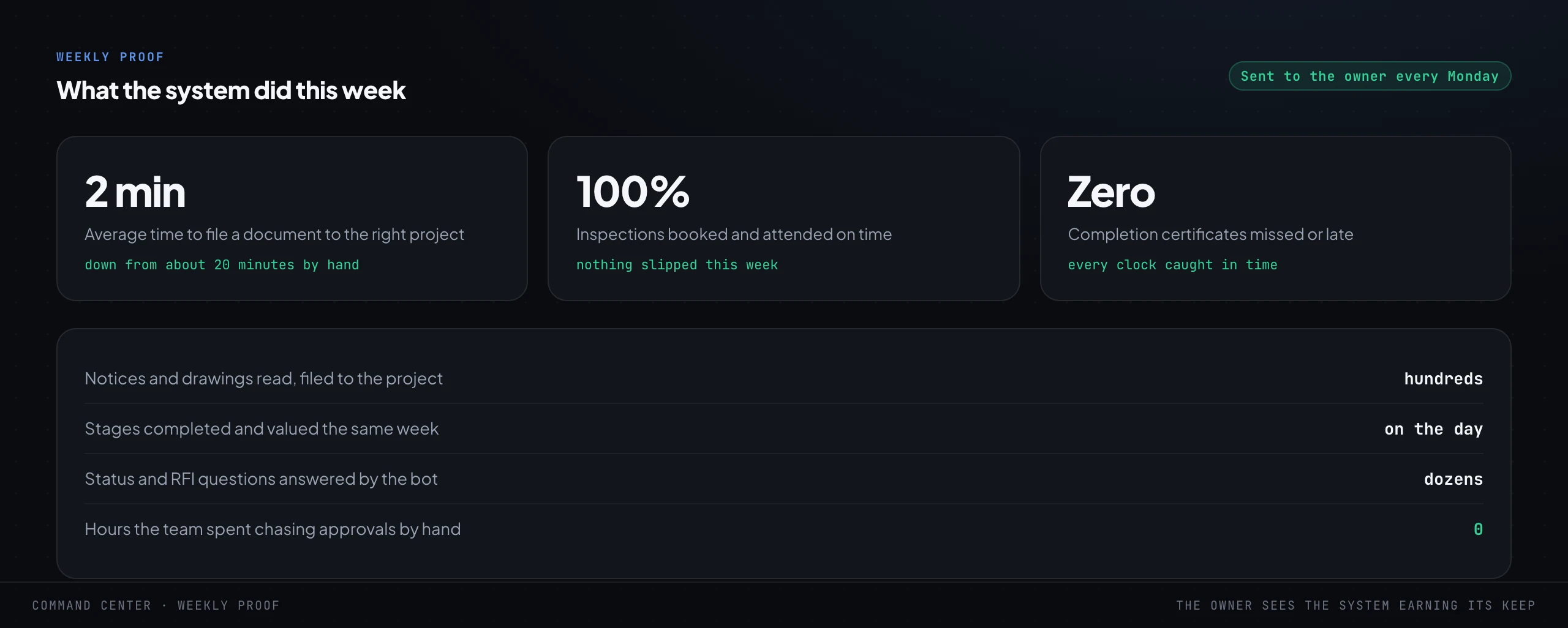
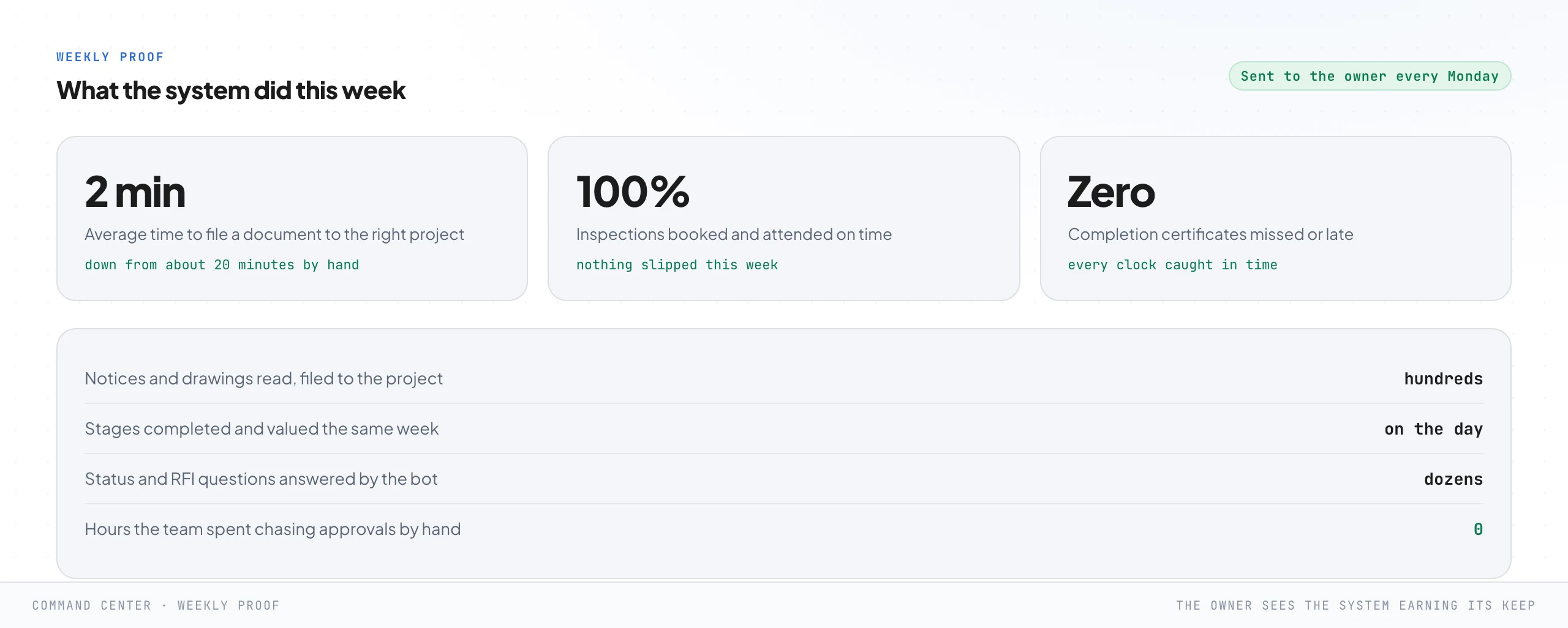
And then the question that is really the point: what does the director do with the attention they just got back. In every firm the honest answer is the same, and it is why this belongs on a growth marketing site.
They go and do the work only a director can do. Winning the right projects, the developer and client relationships that carry the real margin, the next hire, the next site, the tenders that decide whether the firm doubles next year.
Removal is not the end of the director's involvement. It is the first time the director gets to actually be the owner of the firm rather than its busiest employee on site.
What it costs to run
This is the question every director asks within about ninety seconds, and the honest answer surprises people in the right direction. It is far less than they expect, and far more transparent, because the running cost is metered and shown like a utility bill rather than hidden inside a flat fee.
For a working system on a real firm's volume, the AI usage runs on the order of a few dollars a day, and the hosting and database are a few tens of dollars a month, so the whole thing comes to roughly a hundred dollars a month to run. Your volume will differ, which is exactly why the meter is built in from day one and shown to the directors on day one.
No hidden meter, ever.
Now put that next to what it replaces, with round numbers you can redo with your own. Say a director and the site team lose two and a half hours a day to chasing RFIs and certificates, filing drawings and building status updates by hand, across twenty two working days.
That is fifty five hours a month. Value that time at even a modest fifty dollars an hour, low for a project director, and it is over two and a half thousand dollars a month of attention, against roughly a hundred to run the system that gives most of it back.
And that ignores the two biggest wins, because neither shows up as time saved: the inspection that stopped slipping and the programme that held, and the variations and retentions that finally got billed and released. Those show up as money that did not leave the building.
Where to start on Monday
Nobody builds all nine steps at once, and you should not try. This is a map, not a project plan, and the map is useful the moment you have it, because it tells you where you are and what the next single step is.
So do not start with the screen that impressed you most. Start with the step the audit said is bleeding worst.
If work keeps getting completed and never valued, the money-on-the-floor wall and the invoice filler pay for the whole build in the first month. If slipped approvals are the fear, start with the project radar and the approvals clock.
If your team is drowning in RFI chasing and drawing filing, start with the site controller. If you have been burned by a completion request going out on an incomplete pack, build the refusal fence first and sleep better that night.
The full logic for choosing the first thing is in what to automate first in a service business, and the honest way to measure whether it worked is in true ROI versus reported ROAS.
One thing at a time. Diagnose, build the one piece that hurts most, put a human gate on anything irreversible, then the next piece, which will be cheaper than the first because it sits on the same spine.
That is the whole method. This same framework runs in an accounting practice, a law firm, a clinic and a company-formation desk, the labels on the screens change and the nine jobs do not, and the full walk-through of the general version is in the 9-step framework for deploying agentic AI.
The firms that end up with a real system instead of a phone full of half-used site apps all started the same way: one step too small to fail, aimed at a number they had already agreed was bleeding.
Frequently asked questions
It is a sequence of nine steps in three phases. Before you build: diagnose the approval and billing leaks, shadow one real project from site to sign-off, write the unwritten procedure down including the completion-certificate checklist, and baseline the current numbers. Build: a command center, the firm procedures turned into searchable data, and a site controller that works under safety rules and a refusal fence. Removal: hand the work to the team as approvals, then remove the director from the middle of every project. The point is step nine, which is removal, not training.
No, and this is the line that never moves. Every judgement that carries a professional stamp, every call on structural adequacy, fire safety or fitness to occupy, stays with the qualified, insured people trained to make it. The site controller reads notices and drawings, files them to the right project, chases RFIs and sign-offs, drafts valuations and answers status questions, then stops at anything irreversible and waits for a person. It removes the paperwork and the chasing, never the engineering judgement.
It is a hard gate wired to your own written checklist. The system will not let anyone raise a completion-certificate request for a project until every required sign-off is present: the building control final inspection, the fire strategy sign-off, the electrical and mechanical certificates, the as-built drawings, the operation and maintenance manual, and the consultant sign-off. If anything is missing it refuses, names the outstanding items, and stops. A person can still override deliberately, on the record, but the default is a locked door.
On a real firm's volume the AI usage runs on the order of a few dollars a day, plus a few tens of dollars a month for hosting and the database, so roughly a hundred dollars a month in total. The meter is shown to the directors from day one rather than hidden in a fee. Set against fifty-plus hours a month a director and team lose to chasing approvals and filing by hand, plus the slipped inspections avoided and the variations and retentions finally billed, the arithmetic is not close.
Your software is where the programme and the documents live. This is the layer above it that decides what happens and when, across every project at once. It reads notices and drawings as they arrive, files them, watches every approval, chases the RFIs and sign-offs that are missing, drafts the valuations and answers the status questions, then hands the directors only the judgement calls and the approvals. It is not a replacement for your scheduling tool. It is the operating system that stops all of that landing on one director's desk.
Install this in your business
An article gives you the map. A working session gives you the system, built around what you actually sell and who actually buys it.